This week on Open Channels News, discover how AI is changing hardware, security reports, and gaming, plus the latest WordPress and enterprise data updates. Explore our concise wrap-up of major open source and tech stories, along with the recurring themes shaping the industry’s future.
October 09, 2026
Open Channels FM: OCN Week in Review #5: Scale, Adaptation, Verification and Infrastructure
October 08, 2026
Open Channels FM: Why Learning from Younger Colleagues Keeps You Fresh in Tech
To thrive in the evolving tech industry, professionals should engage with younger colleagues, embracing their fresh perspectives to foster adaptability, resilience, and ongoing personal and professional growth.
Open Channels FM: How Open Channels FM Balances Human Content with the AI Transparency Report
Learn how Bob Dunn chose to create a AI Transparency Report for the Open Channels FM Podcast Network.
October 07, 2026
Open Channels FM: Meta Opens Muse to DIY Hardware, GPT-6 Plays WoW Blind, and BootLoops
Open Channels News host Robert shares AI's evolving role, highlighting Meta's Home Link for hardware integration, GPT-6 Astra's gameplay without visuals, and BootLoops enhancing scientific research tools.
WPTavern: #236 – Brian Coords on WordPress as the Source of Truth
Transcript
[00:00:19] Nathan Wrigley: Welcome to the Jukebox Podcast from WP Tavern. My name is Nathan Wrigley.
Jukebox is a podcast which is dedicated to all things WordPress. The people, the events, the plugins, the blocks, the themes, and in this case, making WordPress the source of truth across web projects, not just the website.
If you’d like to subscribe to the podcast, you can do that by searching for WP Tavern in your podcast player of choice, or by going to wptavern.com/feed/podcast, and you can copy that URL into most podcast players.
If you have a topic that you’d like us to feature on the podcast, I’m keen to hear from you and hopefully get you, or your idea, featured on the show. Head to wptavern.com/contact/jukebox and use the form there.
So on the podcast today we have Brian Coords. Brian’s journey started in teaching and after a surprise detour, thanks to a growing family and a need for new work, he jumped headfirst into WordPress, spending a decade in agency and freelance roles before landing as a developer advocate at WooCommerce. He’s known for his knack for explaining the complicated parts of WordPress, championing documentation, blogging, podcasting, and bridging the gap between community needs and product development.
Brian recently delivered a talk at WordCamp US entitled, The Site is the Source of Truth, Block Themes, AI and Agency Workflows, and that’s the focal point for our conversation.
We start with Brian’s background in both education and development, and how he finds his DevRel role the perfect bridge between those worlds. We then get into the evolution of WordPress from its early days to the present, questioning just what it is that has given the platform such staying power, especially as agencies race to adopt shiny AI tools or static site builders, and are tempted to throw WordPress out with the bath water.
Brian sees unique value in the WordPress ecosystem, especially for sites with longstanding content, integrations, and complex needs. And he makes the case for why the platform is built to last.
We talk through the idea of the site as the source of truth, using WordPress, and increasingly block themes, not only as a publishing platform, but as the repository for all your design, content, and workflow guidelines. Instead of letting generative AI run wild, and potentially cause chaos, Brian outlines how agencies and product teams can centralise approved patterns, templates, and even content guidelines directly in the WordPress site, helping both AI and human users maintain brand and design consistency.
We also unpack the state of block themes, why agency adoption is taking longer than expected? What’s coming soon for WooCommerce users, and how the move to block-based building is reducing plugin sprawl and making sites more resilient. And of course, we wrestle with the tight rope walk of what should go into WooCommerce Core, versus what is better left to the ecosystem, especially in a world where AI can spin up basic plugins in seconds.
If you’re curious about how WordPress agencies can survive and thrive alongside AI, what the future holds for block themes, and how to build smarter, more sustainable workflows, this episode is for you.
If you’re interested in finding out more, you can find all of the links in the show notes by heading to wptavern.com/podcast where you’ll find all the other episodes as well.
And so without further delay, I bring you Brian Coords.
I am joined on the podcast by Brian Coords. Hello, Brian.
[00:04:05] Brian Coords: Thank you for having me.
[00:04:05] Nathan Wrigley: Oh, you’re so welcome. Brian and I were supposed to record this podcast episode at WordCamp US, but, Jamie Marsland.
[00:04:14] Brian Coords: He ruined it, yeah.
[00:04:16] Nathan Wrigley: Yeah, we’re going to blame him. We had another engagement, which was to watch Jamie Marsland. But I appreciate you giving me the time after your WordCamp US experience. We’re both back home now.
But if anybody isn’t familiar with you, Brian, we’re going to be talking a little bit about a presentation that you did at WordCamp US. That’s going to be the fulcrum around which the conversation goes. I’m going to encourage everybody, probably to go and look at the WP Tavern show notes, check them out. We will link to that presentation, which is called The Site is The Source of Truth: Block Themes, AI, and Agency Workflows.
Hopefully gives you some intuition of what we’re going to talk about. Brian, do you just want to tell the audience a little bit about you? I know it’s a rather generic question, but tell us about you, your background, lo these many years.
[00:04:58] Brian Coords: Yeah, so currently I work at WooCommerce as a developer advocate, so just working on community documentation, release posts, the blog, all that kind of communication stuff for WooCommerce.
But before that, I spent like 10 years in the agency and freelancer world building WordPress sites, so I leaned on that for WordCamp US. Especially because you can only talk about WooCommerce so much at a WordCamp, so I leaned on my agency background and figured block themes, AI, all this stuff mixing around, what can I try to make sense out of it, and I don’t know if I did, but I got some thoughts out.
[00:05:34] Nathan Wrigley: I remember a couple of years ago, prior to you getting that job, you were doing various bits and pieces, one of which actually for a tiny period of time was writing for The Tavern. And then I remember you getting the job. I was looking at your profile on social media, I think, and you landed the developer relations job, and I thought, “Oh, if ever there was a job which fitted a character,” it felt like you had dropped into something absolutely ideal. Do you just want to tell us what that role actually involves? And is it as ideal as it sounds for somebody of your characteristics?
[00:06:03] Brian Coords: Yeah. To be honest, I saw that that was a type of job that existed in tech, and before I worked in any web development, I was a teacher. I was a high school teacher, so kind of wanted to bring back teaching and writing into what I did as a day job. So I saw that’s what a developer advocate, that’s like what DevRel does, and I basically spent like a year or two doing it for free, to prove that I could do it and get a job. And was like, “I’ll just pretend to be one, and then eventually somebody will pay me”,. And that’s kinda how it worked out.
I mean that’s basically the job, is you’re teaching, you’re doing a lot of writing, you’re doing a lot of explaining things, you’re taking a lot of community feedback and bringing it back internally and saying, “This is what people are asking for, this is what they like or don’t like about the new feature”. You’re just bridging that communication gap, but you are also not responsible for any code, and that’s the best part of it. I’m less stressed about code overall.
[00:06:57] Nathan Wrigley: I’m just going to go totally off piste here because I want to dig into what you said there, because I find that really interesting.
One of the most important pillars of, I think, every society is the education piece, particularly of the younger generation, the children. I have reasons to be into that, but I won’t share them here. But, very, very meaningful to me.
Do you miss that aspect of life? Obviously there’s a reason that you stepped away from that. Perhaps it was paperwork or burnout or whatever it may be. But do you miss the kind of face-to-face bit? Because obviously I’m imagining that you were, there was you, Brian, at the front talking to actual humans who you could reach out and touch if you needed to. How does this map to that, and the desire that you obviously once had to be an educator with real humans inside a real classroom?
[00:07:39] Brian Coords: I left it sort of accidentally. We got pregnant with our first kid and needed to move, and I just needed to find a job closer to home. And it just was an accident, and I stumbled into WordPress and tech and everything. And so, I did miss it and I felt, I think I had an experience where I spoke at a WordCamp and I was like, it felt like teaching, because it was like I know everybody in the room. This is a community, I know everybody, I have a relationship with them. I’m up in front of the room talking to them, but they’re also yelling at me and heckling me because we know each other so well.
So it reminded me of that vibe. So I kind of did look for this job as a way to bridge the two things, the WordPress and the tech side, and also a chance to do writing and teaching and bring it back a little bit. And maybe one day I’ll go back to a classroom or something.
[00:08:27] Nathan Wrigley: Yeah, maybe. One of the curious things that I think about when you see education done well online, you watch somebody’s YouTube content or wherever that content may land. You sort of get the impression that they just turned on the camera and began. Oh, they’ve added in some animations, and they’ve cut and done transitions and things like that.
But for every, let’s say 30 minutes that you produce online, is there, an hour, two hours, three hours of thinking it through, figuring out the pedagogy, who’s the audience, how do you write to their skill level? Just talk us through that bit a little bit, and I promise that’s the last off-piste bit we’ll do.
[00:09:03] Brian Coords: Yeah, I mean, for everything that I record, I spend a lot of time doing drafts of it. I’ll try to write the whole thing and just, what would this look like if I wrote the whole thing out?
And then, I’ve tried doing, a prompter where you read into the camera, and that never feels natural, it doesn’t work. But if I do three or four takes of it, by the time I get to that fourth take, I’ve internalized it, and then I can free flow it after that. And that’s how I approach my talk at WordCamp, where I just kept doing it personally, to the point where I felt like I could just say the stuff naturally.
But I do bring in some of the teaching stuff of thinking about what is the student doing at the time? What are their goals? What is the one thing that they should walk away from this? And I try to bring as much of that into it, but, it’s hit or miss, you know.
[00:09:49] Nathan Wrigley: Yeah, I guess one of the things that you always were going to miss is the sort of the feedback loop of having people in front of you, you know you’re, if all the children in front of you are gazing at the floor, then you know you’ve definitely pitched it incorrectly and you probably need to rethink. But you’re not necessarily going to get that shooting YouTube videos, but perhaps would, inside of a WordCamp. I can see you nodding, I hope that’s not actually what’s happened.
[00:10:12] Brian Coords: Yeah, your YouTube comments are pretty close to being in front of a bunch of middle schoolers, right? That’s pretty similar. But the face-to-face and being in a real room is important. That’s why I took this job too, is more WordCamps, more Meetups, more time in person, but also I don’t have to leave my house every day.
[00:10:29] Nathan Wrigley: Yeah, there is that.
[00:10:30] Brian Coords: I get a balance.
[00:10:30] Nathan Wrigley: That’s really nice, isn’t it? Yeah, so you can be working at the time of day that suits you and your family.
Okay, so back on the piste. The title of the presentation, as I said, is The Site is the Source of Truth, Block Themes, AI, and Agency Workflows. I’m just going to read some of the blurb just so that the listener has context, and it goes like this.
“Block themes give WordPress an opportunity to become more than a publishing tool or a place where finished designs are implemented. With the right theme structure, patterns, templates, and brand guidelines, a WordPress site can become the source of truth for how new pages and layouts should be built. That matters even more as agencies begin using AI in their build process. AI is useful when it can work from existing pieces, approved patterns, real content, design tokens, reusable blocks, and known template structures. It is much less useful when it starts every landing page from scratch.”
And it goes on, but I’ll stop there. Do you want to just summarize what you actually did in that presentation? Then we’ll dig into the bits and the pieces.
[00:11:27] Brian Coords: Yeah, so you submit the idea for a talk months before a conference, and then you get to the conference and three weeks ahead they tell you, “Hey, your talk got selected.” I submitted a couple. That was the one they picked, and then I read all that and I thought, “Did I write that?” I couldn’t even remember writing all that.
But it, the timing actually worked out because we are doing a block theme in Woo right now, and I’m spending a lot of time focusing on that. It all lined up. But I definitely read that description, and I had already started working on some slides and I thought, “Oh, I don’t know how much this lines up to what I actually am presenting.”
But I think the goal of what I wanted to do is talk about, I feel like a lot of agencies these days are saying, “We don’t need WordPress. We’re moving to static sites. We’re just letting AI vibe code everything on our sites.” And I wanted to kind of say there’s some value in the systems that WordPress has. It’s maybe a little more work, but there’s reasons for it.”
And I ended up doing a history lesson of, “Here’s where WordPress started. Here’s where we took the journey of why things are the way they are, and the benefits for agencies.” and so I kind of ended up in a place where I got to that topic, but I did a lot of rambling throughout the presentation. I felt like the context was really important. The like, why are we here? Why is WordPress the way it is.
[00:12:45] Nathan Wrigley: Yeah. Okay, that’s really interesting. So you said there, values in the systems that we have, and we’ll explore that in a moment. But technology’s such a weird one, isn’t it? In that most of the evolution of humans, we come up with ideas and then we finesse them a little bit. We adapt them over time, but it can be, a decade, 100 years before any major improvement takes place. You think the printing press, it just carried on as that printing press for many hundreds of years before it got slightly tweaked with linotype and things like that.
But technology seems to be quite happy to wholesale throw the baby out with the bathwater on a more or less continuous cycle. So, why then do you feel that WordPress should buck that trend in the advent of AI? Like, why does it stand a chance when AI systems are becoming ultra-capable, static sites, or just talk to your agent and it’ll just build whatever you want. What is it? What’s the intrinsic value that you think will mean that it will be around in a, I don’t know, 5 years, 10 years, whatever that may be?
[00:13:42] Brian Coords: Yeah, I think that’s a question everyone’s asking, which is, “Is there a unique value to WordPress that you can’t replace with AI?” And I think some people will point to the community and just the ecosystem and the fact that so many solutions already exist. I feel like AI is really good when you have nothing, and you’re going from zero to one. I have nothing and I’m going to make something brand new.
Once you get to something where you’ve had a site for 10 years and it has tons of content and tons of authors and all these integrations and all these sorts of things, AI is helpful, but everything has to move a little slower, everything has to be a little bit more resilient, and those are the places where having a little framework underneath, something like WordPress holding everything together, ends up being a little bit more valuable. But it’s definitely changing when you would use it, when you would reach for it, and I think that’s the part people are struggling with right now.
[00:14:30] Nathan Wrigley: Yeah. There’s so many examples in my life where there’s a new innovation, but I stick with the older thing, just because it’s tried and it’s tested, and I know the limitations of it and I know what I can do with it. So maybe that’s a good comparison.
It will be interesting to see how AI is able to adapt and just simply build things which are robust and usable. But I think at the moment, the core promise for anybody trying to sell a website to a client, for example, is exactly that. It’s reliable. It’s battle tested. It’s been used on millions of sites all over the world, and it’s got a familiar interface and you can go in and do this, that, and the other thing, and click save and publish and what have you, and it’ll just work. Whether or not that remains the case a, a decade from now, I guess only time will tell.
But, have this idea in your presentation of the site being the, and you said the, source of truth. What did you mean by that? What is the underpinning of that? What are the bits that kind of spin off if the WordPress site is the source of truth, what are the bits that sort of rely on that foundation?
[00:15:28] Brian Coords: Yeah, I think one of the things that people see when they start using AI is it will just do whatever it wants. So you could ask it for two pages on your site, and they might look completely different. It might pull in some design trend here. The language might be completely different on this other one. It might not understand your audience and your values.
And so with AI, you end up doing a lot of shepherding that’s kind of like, “well, no, this is the target audience. This is my color palette. This is the design things I like to use.” And so I leaned a lot in the talk to things like patterns in WordPress. Where, it’s something we do in WooCommerce where we have a designer, they’re very talented, they make really nice patterns that really conform to our brand. And then AI can go in and say, “pull the patterns down from the site first and use those. Don’t spin up crazy new designs. Use the ones that our human designer put a lot of care and effort into, that live in the pattern library on the website.”
And so the more you put into the website and the more you train AI to, don’t go crazy and create new things, use the stuff I already have, use the tools I have, that I think makes things a little bit more reliable, a little bit more consistent. And so I think for agencies, finding ways to put stuff into the website that’s going to help the AI, and guide it directly to doing things the right way. Instead of it always wanting to like, come up with some brand-new chunk of code that you now have to look at. So that was kind of a part of it definitely.
[00:16:52] Nathan Wrigley: So, what you’re saying there is instead of having all these disparate things like, I don’t know, you’ve got a Figma file over there. And you’ve got a Google document over here. And you’ve got another three different things and you can’t really figure out where the heck they are.
Put it all in a WordPress website, and from the point of view of the design, patterns would fit beautifully for that. You can organise your typography, and basic colour palettes, and layouts, and the way things ought to look. And I don’t know, here’s two dozen ways that we might structure a page. Lock all of that away. You don’t necessarily have to publish it anywhere on the front end, but the AI can go and creep around in there and get some guidance.
But then also presumably you could do the same with, I don’t know, your writing style. You could have draft posts where you outline the manner in which you would like to convey your company. And the words which are off limits, or the words which are definitely going to be used. So in that sense because WordPress can do video, it can do audio, it can do designs, it can do layouts and typography, why not just have that as the source of truth? Is that a sort of summation of what you were saying?
[00:17:54] Brian Coords: Yeah, I think that’s essentially right. And I talked a little bit about, there’s a project in WordPress called Content Guidelines, I think, and it does that. Where you put in a lot of your rules. And then I also talked, a lot of agencies use GitHub and Git repos for their WordPress sites, and in there you can do things like having agents files, and skills and stuff that share across your team.
So sometimes it’s in WordPress, sometimes it’s in that kind of GitHub code base for your website. So it depends on your agency’s workflows and stuff. But the point is, everybody puts stuff in the same place, because when I worked at an agency, it was that. It was, they used Figma and they used XD, and they have a Google Doc with all the technical specs, and then there’s 15 emails from the client. And AI actually is really good at taking all those things and putting it in one place and building a little knowledge base. And then when you bring on another developer, their AI is going to know exactly where that is, and it’s going to make things a little bit more scalable.
So it’s just an organizational principle, like just cleaning things up, putting stuff in one space, and making WordPress sort of the home for that, instead of using all these different tools that maybe you don’t need, or maybe you’re going to lose access to.
[00:19:00] Nathan Wrigley: I can’t remember the name, I think you just called it content guidelines or something like that. I can’t remember the name of that project, and I also can’t remember whether the intention is to ship that in Core at some point.
That seems like a really curious idea. Presumably it’s a non-public facing repository of, I’m doing air quotes, “stuff”. So you just dump into there all of the different bits and pieces. Presumably by trial and error over many iterations, you’ll figure out exactly what the agent’s creeping around in your site, and that content guidelines portion of your site is going to be able to take from that.
And you would amend it, and then when you begin another client site, that would be your first port of call. Get your client guidelines figured out, get that set of constraints worked out, and then move on with the design process.
That’s a really neat idea. Somewhat hidden from the public, but pretty neat. Now, I don’t really deal with agencies. I don’t have any communication with them. Do you have a sense that they’re open to these ideas, or it’s just some sort of curiosity which the core team think they might ship, but who knows whether anybody will use it? Have you got intuitions that this would be used?
[00:20:00] Brian Coords: Yeah, that’s been an interesting one. That content guidelines feature almost shipped, and then it got pulled at the last minute and was kind of like, “Let’s see some real world usage of this.” I think it’s probably really helpful for big news publications. That’s what I’ve heard a lot of. Where they have 20 authors and they want to make sure their authors are doing the right thing, and so that makes sense.
I think for agencies, a lot of the ones I talk to, they really, they like putting things in GitHub. That’s where they like to put stuff, and they like putting it in the code. I don’t know if they’ll put it in WordPress, but I think it’ll be interesting to see. But I feel like we’re all just dealing with, there’s just tons of content, and markdown files, and prompts and skills and all these overwhelming amounts of things, and it’s like everybody together is trying to figure out what are the best ways to do this. And I think it’s just fun to explore the ideas and see. In two years maybe we’ll all have the answer to this.
[00:20:54] Nathan Wrigley: Yeah. We’ll have a fresh set of new problems in two years.
[00:20:57] Brian Coords: Yeah.
[00:20:57] Nathan Wrigley: It was curious there, we’d been talking about AI for a while and then when you, corroborated your examples there, you described the humans using it, which I thought was quite interesting. So you’ve got these 20 people working for, let’s say, TechCrunch or something like that. Big organization, lots of editors, lots of authors and what have you. But even if the AI never touches base on that, just the idea that the humans can access it in a human-readable way, not all about the AI.
Just that seems worth shipping. If all that you do is have some mechanism to show brand new author to techcrunch.com, how you would like things to look and feel and what have you, that seems like a reason to ship it even if the AI portion isn’t launched at the beginning.
[00:21:38] Brian Coords: I think everybody’s explored, I know I did, where you go all in on AI and it’s going to write all my stuff, and it’s going to do all these things for me. And then internally we’ve had a, I forget what the post, but somebody wrote this kind of, writing is for humans post, and a lot of people in the company rallied around that. Which is like, it was fun to let AI do some stuff, but writing is important, and writing should be done by humans. We don’t want to put AI content out. So at the end of the day, we expect humans to write, and we still really value that, and writing is a valuable thing in and of itself.
But then AI can come in a little later and say, “Well, maybe I’ll review it for you. Maybe I’ll give you some feedback and you can take it or not.” But it’s been an interesting, I feel like there was a pendulum where AI will do everything, and now it’s like, no, I think we’ll find the places for it to make things move faster, but there’s just still human value, and I’m glad to see that pendulum maybe coming back, at least internally for us it is.
[00:22:34] Nathan Wrigley: Sorry, going slightly off piste here, but I have an intuition that by the time another decade has passed, I think there is a version of the universe in which people have become really sick and tired of AI. I think it’s a really plausible future that some things will be viewed with enormous incredulity and skepticism if there’s any hint of it being done by an AI.
So perhaps that won’t be design. Perhaps it won’t be music. Perhaps it won’t be coding. But I’ve got a feeling that writing, especially fictional writing and things like that, but also opinion pieces and things, I think that is highly likely to become, once again, the domain of a human being. And I know for certain that my own children are very skeptical about AI and the future that’s presenting. So yeah, I welcome that commentary. I’ll leave it there if you’ve got anything to follow up with. If not, I’ll ask another question.
[00:23:22] Brian Coords: Yeah, I go back and forth on it. I’ve never listened to AI music, and I don’t think I ever will.
[00:23:28] Nathan Wrigley: No.
[00:23:29] Brian Coords: Maybe I have and I just don’t know it.
[00:23:31] Nathan Wrigley: Curiously, I bet you have. Yeah.
[00:23:32] Brian Coords: Yeah, I probably have. AI writing is the same way. It’s if you can’t tell that it’s AI, will that matter? And I think at the end of the day it will, because I don’t read things unless I know who the author is and I’m interested in their perspective, and I don’t really listen to music if I don’t know, I like to know the story of the band, and I like to know the context. If I’m reading a book, I like to know when the author lived and what culture they’re filtering everything through and, yeah, maybe we’ll be unique and some people will just want to doom scroll AI videos of cats, but I never did that before, so I don’t know if I’ll do it starting now.
[00:24:05] Nathan Wrigley: No, but curiously, it might offer a slight marketing edge, let’s put it that way. If you can certify provably that you are the real thing. Whether that be in the music space and you simply have to record the process of you going through the process of creating a song with all of the mistakes, and heartache, and anguish that that is.
But I feel that maybe there will be a craving for that in the future. Maybe people will literally work harder to find people online who are provably writing their own material, be that songs or making videos or writing and what have you.
So we’ve all been swamped AI and been beguiled by it, I think as you’ve said, the pendulum feels like there’s a bit of a swing in the other direction, and it might be that you can have a marketing edge simply because you’re actually taking the time to, to write things out. So anyway, there you go.
Let’s move on slightly. So block themes. You were mentioning that at Woo you’re currently playing with a block theme. I don’t know how many of those are actually in the bag already and out there in the wild coming directly from Woo. But it does feel that many years ago block themes were being touted as the thing.
It feels like it didn’t turn out quite the way we expected. There hasn’t been this deluge of block themes, and everybody’s put the classic themes behind them. I think people are clinging to classic themes for a variety of reasons. Do you want to just talk about why you think block themes fit into this whole agency source of truth piece as well?
[00:25:28] Brian Coords: Yeah, block themes have been interesting. I’ve seen a lot of agencies that really start to like them, and agencies understand the value. I think, for a lot of existing websites, just changing your theme is hard. There has to be a really good reason to change your theme, because who knows what’s going to break? Who knows how everything is going to work, especially with e-commerce? It’s like if it’s not broken, don’t touch it. There better be a good reason for it.
And so I think in some ways for a lot of people, block themes for existing sites maybe haven’t given them a really good reason to switch yet. But I think it will for a number of reasons. I was actually just talking to a coworker about our block theme that we’re getting ready to launch. Probably by the time this is out, it might be in a public beta.
But one of the things that was interesting is in WooCommerce, there was a theme called Storefront, which was like, that was the WooCommerce theme. And we’re doing a comparison right now, where if you wanted to move from Storefront to our block theme, Storefront had all these plugins. A plugin to do a header on your site, and a plugin to do a little mini cart, and a plugin to do product carousels, and all these plugins you would have to install. And that meant testing them and making sure they work and updating.
And we did a comparison of how many of these things can you already just do in the block editor, and it was like 90% of it already exists in the block editor. And you don’t need a plugin for it, and you don’t need extra code, and you don’t need to buy a new extension. So I think people are starting to see the value of it, once they realize how much is just included. I can change anything. I don’t need a plugin to add this or that to my site.
So I think there’s a lot of value to it, and it just ends up being a little safer because it’s just WordPress and WooCommerce and a theme that only has a little bit of styling. I’m not worried about the compatibility of plugins, and I’m not worried about paying for updates and all these sorts of things, and is it going to break on the next version?
And so I think there’s a lot of value to it, and it just makes WordPress itself more the thing you’re relying on. You’re just relying on the blocks. You’re just relying on the things that WordPress gives you. So I think there’s going to be a lot of benefits to it, but yeah, we have not, there is no WooCommerce official block theme yet, but we’re hoping that there will be one soon.
[00:27:31] Nathan Wrigley: One of the things that I thought block themes would tackle really quickly soon after launching, which never kind of ended up being the case, was for example, things like WooCommerce, atomising every bit of a WooCommerce site into a separate, let’s say block. So for example, I don’t know, the add to cart block, and the the I don’t know, show the quantity in the cart in the menu block, and yada, yada.
And you go to the cart page or the payment page, and you would just fill it up with the blocks as you’d like, and add spacing and add margins and what have you. That never seemed to take off, but also I don’t know if it’s still talked about, or the promise of that is still something that you are hoping to deliver.
Just talk us through where we’re at in terms of atomising the entirety of a WooCommerce site into individual blocks. So rather than dropping entire sort of templates or structures, you can pick and cherry pick. obviously there’d be dependencies. If you’ve got this, you must have that. But just tell us where we’re at.
[00:28:28] Brian Coords: Yeah, so overall you can do that for most of a store. I think the only thing that doesn’t have blocks right now at all is like the account pages. Somebody logs in and they see their downloads and their order history and all that. That stuff is, I don’t even think is anywhere blocks at all. But that was one of the things as part of this process is, we looked at all the blocks, because there is a add to cart button block, and there is a quantity selector block, and there is a product image gallery block. I mean there’s like a, more than 100, maybe 200 blocks in WooCommerce.
There’s a lot, but the thing that they were missing was the style controls, which is I think what a lot of people wanted. Which is if I have the button, is it going to look like every other button on my site? And can I customize it? Are all the form inputs on my checkout page going to look just like the drop down on my product selection page?
And so that’s been the big push recently, like actually building the block theme, like 90% of the work of what they’re doing is just fixing the blocks, and making the blocks better. And the theme is just a very thin layer.
So it’s gotten a lot better, and that’s kind of the goal is once we have our own theme we can show, okay, all this stuff is customizable and editable. And I think probably in the next release you’ll see a huge focus on those block style changes showing up in WooCommerce.
[00:29:44] Nathan Wrigley: I have a curious question that you may or may not wish to answer. Let’s see how this one goes. If you, as you just described, you were talking about you don’t need a plugin for that. You don’t need to worry about an update or a payment for this thing. We’re bringing all that functionality into Core.
I’m wondering what that tightrope looks like, where over there somewhere, part of the community, somebody’s got a paid plugin, which is the basis of their entire livelihood. But it just so happens that, we could really ship that in Core, and that would be really useful to have in Core. We reckon that 80% of the people who use WooCommerce will use that.
How do you decide when something gets made and the obvious sort of community impact that that thing may have had? So as I said, that’s a tricky question. I will leave you to answer it or not.
[00:30:31] Brian Coords: Yeah, it is a huge topic of discussion. James Kemp, who is the Core product lead has been pushing for more of these things in Core. And I think that the big question right now is, are a lot of the people making money on plugins going to be able to continue making money on some of those plugins with AI? Because there’s a lot of plugins that are 100 lines of code that an AI will happily spit out for you.
And so I think the floor is raising on people building plugins. Where if your plugin isn’t doing anything super complicated, if it’s set it and forget it, then there’s probably not going to be a market for it in the future.
But that said, there’s this whole other area of opportunity where there’s tons of plugins that need to be built still. There’s integrations that are really complicated that you don’t want to leave to AI. There’s things around modifying payments and modifying how your checkout works and different types of products. And all of that stuff I think is still available, and I think most people will choose to pay for those sorts of things.
But if your plugin is something, I will just say we’ve, all the ones we’ve brought in are our own plugins so far. So this new WooCommerce release that’s coming out this week is different product variations can have image galleries on each variation. That’s a thing. But that was our plugin. So we took our plugin and we put it in Core, and gave it away for free. We don’t really try to go after if somebody’s got an established community plugin and they’re supporting it. We don’t want to go after them. But we are definitely cannibalizing a few of our own plugins, and turning off a little bit of revenue we get from those to put those in Core. And that’s, we think it’s worth it in the long run to just have a better WooCommerce.
[00:32:09] Nathan Wrigley: I think that’s a really difficult tightrope to walk, isn’t it? Because obviously you would love to have every piece of functionality available in a, you know, easy to use manner in Core, or at least all the bits and pieces that were essential. But at the same time, there’s this delicate balancing act of the community, which at the moment seems to be, how shall we say it, in a holding pattern? Let’s go with that.
There’s a lot of uncertainty, people who have this sort of utility plugin that does this one thing, as you’ve described, it may be 100, 200 lines of code. Where in the past that was probably going to make you some nice pocket change. It does feel like that is going away.
So if that is the calculus upon which you’re basing whether you build something into Core or not, you’re potentially swooping in and creating something for which there is no business anymore anyway, Because now in the advent of AI, anybody with half a minute can whip that same functionality up, and you might as well have it all security checked and what have you inside of Core.
But very difficult to figure out how to balance damaging, I suppose, is the wrong word, but it’s adjacent to what I’m after. Damaging relations with community members who are great great advertisements for building on top of WooCommerce, and yet shipping all these things in Core. Difficult. I’m glad, I don’t have to square that circle.
[00:33:23] Brian Coords: Yeah, and we have a very vocal extension developer community. They give us feedback all the time. And some of them, I think they’re well aware that they’re much more likely to be threatened by AI, than they are us wanting the functionality of their plugin in Core.
But there’s also a general sense in WooCommerce from, like the customers, which is, “Why do I need so many plugins?” And that’s kind of a concern and that fear of, when I update WooCommerce and I have 30 to 50 extensions, which is very normal for a WooCommerce store, is each one of those going to work? Do I have to worry about that?
And so it is also a balance where it’s almost damaging WooCommerce that you need so many plugins just to run a store. And that why do I need a plugin for this and this, you know? So we’re trying to balance that, where we want to make it feel more secure and reliable.
But also I think a lot of those plugins are much more threatened by AI than they are us getting around. We have plenty to work on before we get around to taking other people’s plugins. We have plenty to work on our own to improve basically WooCommerce, subscriptions, all the kind of Core stuff we already manage.
[00:34:25] Nathan Wrigley: Yeah, I feel that in the WordPress space, the most likely bit to survive, is potentially WooCommerce. Just simply because there is so much that is at stake by messing up your website by injecting a bunch of AI slop. Again, I’m doing air quotes.
Because, this is your revenue. If you take your site down for half a minute, that really could lose you, I don’t know, thousands of dollars in orders. But I don’t know if that’s your intuition as well. It feels like brochure sites, that is very much up for debate at the moment. We’ll have to see how the landscape goes with that. But it feels like the WooCommerce bit, the e-commerce of WordPress’s community, it feels like you’re on a bit of safer ground just simply because of the revenue that’s generated by those sites and the reluctance of people to meddle with them.
[00:35:14] Brian Coords: Yeah. I mean that’s what I’ve been yelling internally, so I’m glad you agree. I think e-commerce is definitely much more, has a much stronger moat than static brochure sites. And I think that’s what people in WordPress are sort of dealing with, which is for all these sites that are on WordPress how many of them need WordPress? How many of them need this functionality? WooCommerce definitely. You need a database, and you need security, and you need updates and you need all this stuff.
For a marketing brochure site, you probably didn’t need it to begin with, but WordPress was easier. So the question is for those simple marketing sites, do we make WordPress easier so that they can keep using WordPress, or do we say, “No, we’re going to lean in on publishing, commerce, really complicated, heavier duty sites that probably generate more money, but maybe the total market share goes down,” I don’t know. I think that is a big question.
[00:36:05] Nathan Wrigley: Yeah, it’s interesting. I can imagine in a decade from now, the UI for a typical brochure site almost not even a UI. It’s something that we can’t really conceive of at the moment. It might be that, you speak to a thing, and the thing reacts and amends as necessary. Maybe WordPress will have to fight that territory to keep its market share.
But I do feel that the WooCommerce side, I think people are going to be able to justify the time put in to logging into a platform and going through a list of products and adding, “Okay, I’ve got some shoes that I’m selling over here and they come in seven different varieties. I want to sell the shoes. I’m going to upload the color palettes for each of those shoe,”. There’s just some calculus of the work that needs to be done and the maintenance that needs to be done. I feel that you’re on much, much stronger ground as you described. So yeah, I think you’ve every reason to be sanguine.
[00:36:52] Brian Coords: Yeah, and I still think people want to log in to something and look at something. Especially with e-commerce, they want to just see a screen of how their orders are doing. They don’t want to ask AI to generate that every single second that they want to see how many orders they have, and what their revenue is for that day and all their analytics. They just want to log in and see the thing that they see every day. They don’t need to vibe code that on the fly by asking AI to generate it, right?
[00:37:15] Nathan Wrigley: Do you know that’s really interesting? I have genuinely never thought about the desire to log into a thing, but that actually makes a lot of sense to me.
This is going to sound extremely out there, but I’m going to say it anyway. There is something of akin to getting home when you’ve been on a long journey, and you finally get to your own front door after sleeping in hotels, beds, and all of that. There’s just something quite nice about getting into you own environment and it’s, “Ah, I’m at home.”
And I actually have started blogging again recently, and I get a real great feeling when I log in and all that familiar stuff is there, and, “Oh, look, there’s all the pictures that I’ve posted on this website these many years.” I think there’s something there. I think that’s really curious. The idea of logging into something, being purposeful about it. Not speaking to the exact same interface that you talk to every other thing to do the job. Having a place, a URL that you go to, the environments how you’ve set it up, I can’t believe I’ve never thought of that before, but I think that’s quite profound. I hope you’re right.
[00:38:18] Brian Coords: Yeah. I hope I’m right too. I hope that there’s just some things in life you don’t want to ask an agent to go do for you, and you just say, “Let me just click on this and change this thing.” Some things are just faster than, “All right, I’m going to text my agent, and hopefully he does it right, and then he’s going to send me a screenshot that it got done.” I mean, I love doing that kind of stuff. I do it for some things, but yeah, sometimes you’re just, “show me that same dashboard.”
[00:38:41] Nathan Wrigley: Yeah. And I do wonder in the years to come how ready we are going to be to submit all of that control. Just the idea that an essential part of your business, like your e-commerce site could be done by an AI with very little intuition as to what’s happening once that command has been given and it updates that stuff.
But not just that you don’t know what that thing did, what the thousand other things that were done prior to that one prompt. Okay, it looks nice at the minute, but how did it even get there? Well that was about two years of prompting. Okay. All right. Can we unpick that? Not really. We haven’t the faintest idea how it got to this. Yeah, that’s really interesting. Okay. I think I’ve asked everything I wish to ask. Is there anything you wanted to get out before we knock it on the head, Brian?
[00:39:24] Brian Coords: No, just hopefully we’re still here in five years, not just prompting away in our basements.
[00:39:29] Nathan Wrigley: You know what? I think if you’d have asked me that question six months ago, I had less certainty than I do now. I think I’ve seen a sort of, tsunami is the wrong word, it certainly is not that, but a general sense out in the world at at large of distrust and a move towards the sort of more artisan side of life.
And so I think it’ll be curious to revisit this conversation in a few years time and see how that pendulum has swung. If the AI overlords are listening to this in the year 2028, please do not come and get me. I was wrong. But there we go. Let’s hope that we’ve all got somewhere to stand, a beachhead to stand in a few years. That’d be nice to think about.
Okay, Brian, thank you so much for chatting to me today. I really appreciate it.
[00:40:10] Brian Coords: Thank you.
On the podcast today we have Brian Coords.
Brian’s journey started in teaching, and after a surprise detour, thanks to a growing family and a need for new work, he jumped headfirst into WordPress, spending a decade in agency and freelance roles before landing as a Developer Advocate at WooCommerce. He’s known for his knack for explaining the complicated parts of WordPress, championing documentation, blogging, podcasting, and bridging the gap between community needs and product development.
Brian recently delivered a talk at WordCamp US entitled “The Site Is the Source of Truth: Block Themes, AI, and Agency Workflows,” and that’s the focal point for our conversation. We start with Brian’s background in both education and development, and how he finds his DevRel role the perfect bridge between those worlds.
We then get into the evolution of WordPress, from its early days to the present, questioning just what it is that has given the platform such staying power, especially as agencies race to adopt shiny AI tools or static site builders and are tempted to throw WordPress out with the bathwater. Brian sees unique value in the WordPress ecosystem, especially for sites with longstanding content, integrations, and complex needs, and he makes the case for why the platform is built to last.
We talk through the idea of ‘the site as the source of truth’, using WordPress (and increasingly block themes) not only as a publishing platform, but as the repository for all your design, content, and workflow guidelines. Instead of letting generative AI run wild (and potentially create chaos), Brian outlines how agencies and product teams can centralise approved patterns, templates, and even content guidelines directly in the WordPress site, helping both AI and human users maintain brand and design consistency.
We also unpack the state of block themes, why agency adoption has taken longer than expected, what’s coming soon for WooCommerce users, and how the move to block-based building is reducing plugin sprawl and making sites more resilient. And, of course, we wrestle with the tightrope walk of what should go into WooCommerce Core versus what is better left to the ecosystem, especially in a world where AI can spin up basic plugins in seconds.
If you’re curious about how WordPress agencies can survive and thrive alongside AI, what the future holds for block themes, and how to build smarter, more sustainable workflows, this episode is for you.
Useful links
The Site Is the Source of Truth: Block Themes, AI, and Agency Workflows – Brian’s presentation at WordCamp US 2026
October 06, 2026
Akismet: Upgrade to the official Akismet Drupal module
If your Drupal site still runs the community Akismet module (drupal/akismet), the official Akismet module (drupal/akismet_antispam) can upgrade it in place. You swap the Composer package, run database updates, and your API key and protection settings come along. We built it so you don’t have to uninstall, reinstall, and re-enter everything. This post walks through the steps.
Which sites this covers
The update needs Drupal 10.3 or later on PHP 8.1 or later. That covers sites on the community module’s 2.0.x releases and its 8.x-1.x dev branch.
If you’re on an older setup:
- 8.x-1.0-alpha2 (Drupal 8 or 9): update the community module to 2.0.0-alpha2 while you update core, then follow this post.
- 7.x: upgrade Drupal first, then install the official module fresh. Your Akismet account and API key still work.
The migration guide on drupal.org has a table for every release if you’re not sure which one you run.
Before you start
- Back up the database. The update only goes one way.
- Note which roles have “Bypass Akismet protection.” The update removes that permission (more on that below).
- Plan one deploy for the whole swap. Between the Composer change and
drush updb, spam protection is off and some admin pages break, so don’t leave a gap between them.
What carries over, and what doesn’t
These come along:
- Your API key
- Your connection timeout, if it’s between 1 and 60 seconds
- Your comment, contact and registration protection settings
These don’t:
- Check history. The community module’s
akismettable is dropped, so the Spam tab starts empty. Those rows hold submitted content, including author emails and IP addresses, and the official module has no way to erase them later. - Per-form settings. The community module could protect some comment types or contact forms and not others. The official module has one toggle per category, and it covers all of them.
- Per-form “discard spam.” This becomes one site-wide strictness setting.
- Test mode, custom API endpoints and the “block all submissions” outage policy.
- The “Bypass Akismet protection” permission. The update removes it from every role that had it. The official module’s equivalent is
bypass akismet, and it isn’t granted automatically. - Webform handlers. You’ll need to re-attach the Akismet handler to each webform that used it.
You don’t have to track any of this by hand. The update prints a report that names every item above that applies to your site.
The migration
composer remove drupal/akismetcomposer require drupal/akismet_antispam -Wdrush crdrush updb
Run them in that order, back to back.
composer removefirst, and leave the module installed in Drupal. Don’t uninstall it, because the update reads its database state. The official module’scomposer.jsonconflicts withdrupal/akismet, so Composer won’t install them side by side.composer require ... -Wlets Composer update shared dependencies, like the Akismet PHP SDK or the PSR HTTP packages, if your lock file pins an older version. Without-W, Composer can refuse with “the package is fixed to … (lock file version).”drush crbefore anything else. The community module shipped services that no longer exist, and Drupal still has them cached. Until you rebuild, logged-in pages return a 500 and drush commands die on shutdown.drush crworks when nothing else does.drush updbruns the update. Stay off the comment admin screens until it finishes.
Read the report. It’s also logged to watchdog, so you won’t lose it if your terminal scrolls away. Then export and commit the new configuration:
drush cex
On every other environment, rebuild the cache before anything else touches it:
drush cr && drush deploy
Check that it worked
- Settings: confirm your protection toggles at
/admin/config/content/akismet. - Status report: check the Akismet entries at
/admin/reports/status. - Test submission: post a comment as an anonymous user named
akismet-guaranteed-spam. Akismet always flags that name, so the comment should land in the Spam tab.
Already on the official module 1.0?
Upgrading to 1.1 is one command and a database update:
composer update drupal/akismet_antispam -Wdrush updb
The -W matters here. Version 1.1 needs Akismet PHP SDK 1.5, and if your lock file still pins 1.4, Composer stops with:
drupal/akismet_antispam 1.1.0 requires automattic/akismet-sdk ^1.5 -> found automattic/akismet-sdk[v1.5.0] but the package is fixed to v1.4.0 (lock file version).
-W (short for --with-dependencies) lets Composer update the SDK along with the module.
Questions
If something in the report surprises you, or the update doesn’t go the way this post says, open an issue in the issue queue. The migration guide and the module’s README have the full details.
WordPress.org blog: WordPress 7.1.3 Maintenance and Security Release
This security and maintenance release features 7 security fixes and 4 bug fixes.
Because this is a security release, it is recommended that you update your sites immediately.
You can download WordPress 7.1.3 from WordPress.org, or visit your WordPress Dashboard, click “Updates”, and then click “Update Now”. If you have sites that support automatic background updates, the update process will begin automatically.
Security updates included in this release
The security team would like to thank the following people and organizations for responsibly reporting vulnerabilities, and allowing them to be fixed in this release:
- A stored XSS on the Comments administration page, exploitable via pending comments, reported by Trail of Bits in collaboration with OpenAI.
- A DoS issue in the
WP_Http::make_absolute_url()method, reported by Anthropic - A second-Order SQL injection in WordPress WXR export, reported by Anthropic
- A weakness allowing Author role users to sticky posts, reported by Anthropic
- Unauthenticated disclosure of comments on private & unpublished posts, reported by Ananda Dhakal from Patchstack
- Imgur embeds are vulnerable to XSS, reported by Zhengyu Liu, Jingcheng Yang, and Gavin Zhong
- Forgeable parameters passed to the
{status}_{type}hook can lead to action name collision, reported by Alex Concha of the WordPress security team
Thank you to these WordPress contributors
This release was led by Jake Spurlock.
WordPress 7.1.3 would not have been possible without the contributions of the following people. Their asynchronous coordination to deliver maintenance and security fixes into a stable release is a testament to the power and capability of the WordPress community.
Aaron Jorbin, Adam Silverstein, Adi Moldovan, Adrian Duffell, Alex Concha, Arkaprabha Chowdhury, Deepak Kumar, donniam, Ehtisham Siddiqui, Jake Spurlock, Jb Audras, Jeremy Felt, Joe Dolson, John Blackbourn, Jon Surrell, Jonathan Desrosiers, Ken Gagne, Khokan Sardar, Lance Willett, lucatume, marcs0h, Peter Wilson, Paul Kevan, RS Software, Rudy Faile, Sergey Biryukov, siliconforks, smerriman, Stephen Bernhardt, Suryakant Upadhyay, vortfu, webVerts, Weston Ruter, Yogesh Bhutkar
Backports
As a courtesy, the security fixes are being backported, where necessary, to all branches eligible to receive security fixes (currently through 4.7). As a reminder, only the most recent version of WordPress is actively supported. The backports are in progress and will ship as they become ready.
How to contribute
To get involved in WordPress core development, head over to Trac, pick a ticket, and join the conversation in the #core channel. Need help? Check out the Core Contributor Handbook.
Open Channels FM: Open Source Maintainers Defend Against AI Spam, Linux Data Trends and WordPress Accessibility Challenges
AI-driven growth presents challenges in security and accessibility and infrastructure hurdles that technology teams cannot ignore.
Open Channels FM: The Essential Human Touch in Genealogical Research
As artificial intelligence becomes more integrated into genealogical research, it is tempting to imagine a future where longstanding mysteries are unraveled with a few keystrokes. AI tools can now scan, transcribe, and sort through centuries of records, but the heart of successful genealogy still depends on something machines cannot replicate: the human touch. No matter […]
OpenStation Blog: Someone Said “I Hate OpenStation.” That Was Actually Useful.
A few days ago, someone opened a support thread about AllTerrain Forms and, in the middle of otherwise useful feedback, wrote something very direct: “I hate OpenStation.”
Obviously that is not the nicest sentence to read when you are working on the product, but at the same time it immediately got my attention because this is exactly the kind of feedback that can be useful if you don’t take it personally.
So instead of trying to explain why OpenStation is good, or why we made certain decisions, I asked a very simple question: what exactly makes you hate it?
Her answer was actually very good.
She works on a laptop, so screen space matters a lot. OpenStation was opening windows too small for her workflow, which meant that one of her first actions was always maximizing them. She also didn’t like losing the visible URL because she regularly copies URLs into emails, project trackers or messages. On top of that, her users are not very technical, and from her point of view OpenStation was adding another layer to WordPress that she would eventually have to explain and support.
She basically said that browser tabs already exist, users understand them, they use the whole screen, and they don’t hide the URL.
And I think this is exactly where building software becomes interesting, because from our side all of those decisions had reasons behind them, but reasons don’t really matter if the final experience is worse for the person using it.
None of these are theoretical product discussions. They are very concrete things that someone hit while trying to use the software for real work.
That matters a lot to me.
We started discussing these points immediately, and one of them has already made it into the next OpenStation release.

Users will now be able to choose how new windows open: using the current default behaviour, maximized, or focused. Focused mode maximizes the new window and minimizes the other windows on the same desk, so people working on smaller screens can have something much closer to the experience they expect.
This came directly from that kind of feedback, and the implementation is already merged:
PR #964: Preferences: choose how newly opened windows appear
And this is really the point.
We obviously have our own vision for OpenStation. We believe WordPress can have a much better working environment than the traditional admin experience, and there are many things we still want to explore there. But having a strong idea of where the product should go does not mean pretending every decision we make is correct.
Sometimes the most useful feedback is not “great release” or “this looks amazing”. Sometimes it is someone telling you that a window is too small, that they want the URL back, that something scrolls when it shouldn’t, or simply that they don’t see the benefit of what you built.
That kind of feedback forces you to look at the product from outside your own head, which is probably one of the hardest things to do when you have been working on it every day for months.
For me, OpenStation becoming more mature is not only about adding more apps, more features or more ambitious ideas. A big part of maturity is improving all those small things that make the product feel natural, predictable and less annoying to use.
And I think there is also something important here about open source. People can complain, explain exactly what does not work for them, and a few days later they can literally see the code that changes that behaviour.
That is a pretty healthy way to build software.
So yes, tell us when OpenStation is great, but especially tell us when it sucks. We may not agree with every suggestion, and we obviously cannot build every requested feature, but if there is a real problem behind the feedback, we want to understand it.
In this case, someone said “I hate OpenStation.”
Fair enough.
A few days later, OpenStation got better because of it.
Matt: Beeper MCP
Fellow Automattician Job Thomas, down in Cape Town, South Africa, has a lovely story about using Claude and the Beeper MCP to wrangle all the group chats for his daughter’s sports.
October 05, 2026
Open Channels FM: Technology’s Fast Feedback Loop with Triumph of the Nerds, Agile AI, and WordPress Security
Faster tech means new challenges from AI feedback loops to WordPress security incidents.
Open Channels FM: Topics in Tech Business, It’s Rinse and Repeat
Sometime we think, been there, done that, but hey, not everyone has done that.
October 02, 2026
Akismet: Akismet now supports Drupal 12
Version 1.1.0 of the official Akismet Drupal module is out with support for Drupal 12. If you’re planning your move to 12, spam protection won’t hold you back. Here are the highlights.
Drupal 12 from day one
The module now runs on Drupal 10.3+, 11 and 12. On Drupal 12, Akismet checks comments and user registrations as soon as you install it, since both live in core. Contact forms, webforms, and the Key module will be supported as soon as they’re ready for D12.
What else is new in 1.1.0
Better spam scoring
Every check now gives Akismet a fuller picture of each submission. The module’s bot detection watches how someone fills out a form: how long they take, how they type, and how they scroll, click or tap. In 1.1.0, all of those signals feed straight into Akismet’s spam scoring. With more context, Akismet can better tell a real person from a bot, so you should see more spam caught and fewer real messages flagged by mistake.
Better GDPR export
drush akismet:gdpr-export now takes --format=json (or csv and yaml) and returns the full stored record for each match, including the original submission. That makes subject access requests easier to answer completely.
The export also withholds the moderator’s identity, as GDPR Article 15(4) allows.
Clearer warnings about your stored API key
The status report now warns you about a leftover copy in yoursettings and stays visible until you deal with it. A new Delete stored API key form removes it in one step. You’ll find the link on the settings page and in the status report.
Coming from the community module?
Before the official module, some Drupal sites used the community-maintained Akismet module (drupal/akismet). That project is no longer maintained. If you’re still running it on Drupal 10.3 or later, 1.1.0 can take over your install in place. Your API key, connection timeout and protection settings carry over, and the update prints a report of everything it migrated, changed or dropped. Our migration guide on drupal.org walks through the process.
Get started
You’ll need an Akismet API key. Grab one from our pricing page. It’s free for personal sites.
For a new install:
composer require drupal/akismet_antispam
If you’re already on 1.0, update the module along with the Akismet PHP SDK it depends on, then run the database updates:
composer update drupal/akismet_antispam --with-dependenciesdrush updb
The module needs Drupal 10.3, 11 or 12 and PHP 8.1 or newer, or the newer PHP your Drupal core requires.
Found a bug or have an idea? Tell us in the issue queue.
New to the module? Start with our introduction to the official Akismet Drupal module, or see how it’s built on the official Akismet PHP SDK.
Open Channels FM: Beyond Rants, Productive Discussions and the Mystery of Poor Design Choices
Bob Dunn reflects on online conversation styles and an infamous hardware design blunder, offering unsolicited solutions and food for thought.
October 01, 2026
Open Channels FM: Why We Build Systems aka Zach and Carl’s Emporium of Madness
In this episode, hosts Zach and Carl discuss adapting to technological change, personal reinvention, and the impact of AI on creativity and web development, emphasizing diverse income strategies and effective ADHD management.
September 30, 2026
Open Channels FM: The Jerks and Flows of the Open Web
You may start something and then boom, it's over. Or an idea that disappears as quickly as it appears.
WPTavern: #235 – Rob Pugh and Tony Arcangelini on Bringing Podcasting to Jetpack
Transcript
[00:00:19] Nathan Wrigley: Welcome to the Jukebox Podcast from WP Tavern. My name is Nathan Wrigley.
Jukebox is a podcast which is dedicated to all things WordPress, the people, the events, the plugins, the blocks, the themes, and in this case, bringing podcasting to Jetpack.
If you’d like to subscribe to the podcast, you can do that by searching for WP Tavern in your podcast player of choice, or by going to wptavern.com/feed/podcast, and you can copy that URL into most podcast players.
If you have a topic that you’d like us to feature on the podcast, I’m keen to hear from you and hopefully get you, or your idea, featured on the show. Head to wptavern.com/contact/jukebox, and use the form there.
So on the podcast today we have Rob Pugh and Tony Arcangelini. Rob and Tony are longstanding members of the Automattic team with extensive backgrounds in marketing, product, and software development. They’ve spent years building tools for creators, writers, podcasters, and everyone in between, and now they’re fully immersed in WordPress’s evolving podcasting capabilities.
If you’ve been looking for ways to run your podcast from your own WordPress site, this conversation is for you. Rob and Tony dive into the new Jetpack podcasting features, and why they made the leap from WordPress.com’s basic audio offerings, to a more robust, integrated solution, within Jetpack.
They talk about what makes WordPress and Jetpack such a powerful home for creators. The ability to bring your newsletter, blog, podcast, and all your content and communication under one roof, all while keeping ownership of your data.
We talk through the advantages of keeping your content out of walled gardens like Substack and Patreon, and the value of flexibility, whether that’s adding WooCommerce to sell merch or customising your site’s look.
Rob and Tony breakdown just how easy it is to start your show. Drop audio into a post, set your category, and let Jetpack handle the rest. From distributing your RSS feed to major podcast apps, to sending out newsletters, and automated social posts. They also get into how integrations with PocketCasts and Jetpack AI make content creation, transcription, and distribution smoother than ever before. Plus how WordPress is open Foundation promises you’ll never be locked in.
If you are a creator wondering how the next generation of podcasting fits into the WordPress ecosystem, or just want an easier way to launch and grow your show, this episode is for you.
If you’re interested in finding out more, you can find all of the links in the show notes by heading to wptavern.com/podcast, where you’ll find all the other episodes as well.
And so without further delay, I bring you Rob Pugh and Tony Arcangelini.
I am joined on the podcast by Rob Pugh and Tony Arcangelini. Hello, both.
[00:03:23] Rob Pugh: Hey, how’s it going, Nathan?
[00:03:24] Tony: Hello, Nathan.
[00:03:25] Nathan Wrigley: Nice to have you both with us.
Today we’re going to be talking about something which is actually genuinely dear to my heart because we’re going on about podcasts. Yay!
I’ve been in the podcasting space for decades, and WordPress has been the place where I’ve done it every single episode. I’m entirely indebted to WordPress for the capacity to do all of the podcasting I’ve done. But I’ve never done it inside of Jetpack, because until recently, I don’t think that was possible. So that’s what we’re going to talk about today.
First of all, I’ll just go round the houses. I’ll start with Rob. Would you mind giving us just a quick potted bio of what it is that you do over at Automattic, Jetpack, whatever it is that you want to mention.
[00:04:04] Rob Pugh: Yeah, so I’ve worked at Automattic for seven years. I’ve been in marketing and now focused more on product, but I like to do a bit of everything. And I work mostly with tools for people that create stuff. So podcasts fit right in there, and we are excited to build out this feature.
[00:04:19] Nathan Wrigley: Nice. Thank you. Tony.
[00:04:21] Tony: Yeah. I’ve also worked for Automattic for about eight years now. I do software development, and so I have had firsthand in building everything that we’re talking about today.
[00:04:31] Nathan Wrigley: Okay, thank you very much.
Now, just before we started recording, I was on the call with Tony before Rob joined in and you labored the point, not labored, but you mentioned that you were in the sort of creator side of Automattic. I didn’t know that existed, but that to me is about the most interesting bit of any organization. You know, the bit where the musicians come, and the poets come and the writers come and the podcasters, and the videos and the YouTubers, and all of that come. I think that’s really interesting, and I didn’t realise there was a wing of the business entirely aligned to that. But I guess I’ve been schooled, and now I know. So podcasting definitely comes under that banner.
Okay so I didn’t know this existed, and I think it didn’t exist, but maybe Tony can redirect me a little bit here. Podcasting in the WordPress space, I think you could do more or less everything that we’re about to talk about inside of wordpress.com until recently, but now it’s shipped inside of Jetpack. First of all, I’ll just send that one to Tony. Is that true? Is this all like a port of things into Jetpack from .com?
[00:05:32] Tony: I’d say it’s a little bit more than a port. So we built a very basic feature of podcasting in WordPress.com to offer WordPress.com users. It was very basic. It was just the feed. Basically what you see in the free offerings right now. The ability to drag an audio into a post and for that post to then become a podcast episode. And then we had a curated RSS feed that was available. And then very basic, the core basic iTunes tags that are needed to be able to be picked up by these apps.
That existed there. It was a bit outdated. It hadn’t been touched in a long time, and so we felt like it would be a great tool to leverage for creators. Giving them a better product, something that would be useful with stats and the ability to manage your episodes and all of that. And we figured if we were going to put all this effort into it, that we should probably make it more widely available. And so Jetpack was, I think, the natural fit for us.
[00:06:26] Nathan Wrigley: Yeah, I’m kind of curious how it’s ended up in Jetpack and not just its own plugin. Is it because you’re leveraging the other things that Jetpack can do? Are there sort of dependencies, if you know what I mean, where, okay, it just makes sense because Jetpack already does that piece of the puzzle, and we can just build over the top of that?
Or is it just the brand recognition, the fact that you’ve got an email list that you don’t need to convert and they can just toggle a switch and automatically have got podcasts? What was the reasoning on putting it inside of Jetpack and not just its own thing?
[00:06:54] Tony: I would say, at least from an engineering perspective, there’s stuff that’s in it that is exclusively within Jetpack. So, the ability to do stats, that’s a hard thing to do when you’re having a self-hosted site, to be able to watch and see what apps are actually touching those download files, and then be able to aggregate them all in one place and then give them back to you in a way that’s easy.
So, at least from an architectural perspective, Jetpack was the easiest because it allows us to leverage some of the endpoints that are already there, and use a lot of those tools.
But then secondly, I think it’s also from an overall product perspective, being able to put it alongside other features like newsletters. Where you can have a newsletter, you can be able to take it into the reader. Have this one episode that now spans across multiple different avenues to be consumed, is I think, also another big benefit in putting it into Jetpack. As opposed to just dropping another, because there’s already a lot of plugins out there, a few big plugins that you can grab for free that do podcasting.
[00:07:56] Nathan Wrigley: I think one of the big bits that I realised early on in my podcasting journey was that you’re not really just trying to create an audio feed. It’s more useful as a podcast if you’ve got this kind of wrap around thing. So like you say, you’ve got a home which is yours, AKA your WordPress website. But also things like the capacity to send out an email if people are interested in subscribing, and they don’t necessarily have a podcast player that they use all the time, but they do want to consume your content.
The fact that they can subscribe to a newsletter, you click publish, that newsletter automatically drops in their inbox. It just makes sense that all the jigsaw pieces that a podcaster needs, it feels like WordPress has had forever.
And there is some part of me which is curious that it’s taken this long to come into the, let’s say, .org side of WordPress. Because all of the different parts, the newsletter, the RSS feed, the blog posting, all of that stuff has been available. It just kind of never got joined up. It strikes me as odd because people have moved over to Patreon, Substack has become this whole thing over the last decade. And really it felt like WordPress had that audience a decade ago.
Maybe it’ll claw it back. I certainly hope it does, but it feels like a lot of people have left the WordPress ecosystem for their podcasting because that stuff wasn’t available. Rob, maybe you want to take that one? It’s not really a question, more of an observation.
[00:09:16] Rob Pugh: Yeah, there’s a lot to unpack there. I agree. I think we were a little late in bringing some of these tools to wordpress.org. But I think we’re seeing the renewed focus across the technology space on ownership.
WordPress has remained the best way to do that. And for us to be able to offer these tools to users. It shows everyone that you can, as you said, own your blog your newsletter, your podcast, together. And it does make sense for us to offer all of these tools in one space.
I like to think of it going back to the origins of WordPress, and we started as blogging, everyone getting your thoughts out there and sharing them. Meeting new people, engaging and creating communities. And podcast is just another medium. We provide that for the written word, so of course we should try and provide that for the spoken word as well. So I do hope that we can show people the benefits, and the ease of having it all together and come back and give us a try.
[00:10:11] Nathan Wrigley: Yeah. I think for me at least anyway, that argument is embedded in my soul. The idea of owning your own content on the web is really important. It’d be interesting to see in the year 2026, 2027 and going forward how much that stuff really matters. I’m just curious, in the age of AI whether people still want to own anything at all. But it’ll be certainly interesting to see.
[00:10:30] Rob Pugh: Sorry, yeah, weigh in on that. I think we’ve seen it over decades and comes in waves. When social media started it was really exciting, and people ran and then saw some of the pitfalls, and they start coming back.
And then recently you mentioned Substack, and I loved Substack when it started. It was a space for some serious dialogue, and a place for writers engage. And then over time, well, we need that VC money, and now it’s basically another social media site. And you realise, oh I don’t really own my data, I just own a Substack, and how valuable is that? And it’s coming back.
And I think AI, it’s becoming even, the cycles are quicker now. AI’s incredible, I use it all the time. I use it to help come up with prototypes for how to best display this podcast product. But, you’ll see quickly that you don’t own anything, and you need to have a home like WordPress. And you retain ownership of your audience, and your data and your posts and your podcasts, and that’s, I think, never going to go away, and AI’s only going to reinforce that for people.
[00:11:23] Nathan Wrigley: Yeah, I think one of the curious things as well is if you want to do anything outside of the normal that the platform will allow, so let’s take the example of Substack. There’s a limited subset of things that it can do. The bedrock of what it does I’m sure is excellent. I confess I’ve never used it, but I’ve seen many people deploy it for their own podcast, so you know, it must work.
But the minute you want to stray outside of those boundaries, and you want to do something a little bit different, I don’t know, you might want to sell some merchandise or something like that. Well just pop WooCommerce on top of your website and you’re off to the races.
Or, I don’t know, you want to have a different flavor in the way it looks at Christmas or something, well you just adapt the theme. And I’m, imagining good luck doing that over on these proprietary platforms. I don’t know if that’s possible, but it certainly would be a lot harder than it would be on the WordPress side I would have thought.
[00:12:08] Rob Pugh: For sure the customisation expanding is all very important, but to me even more important is just that it feels like Substack is just another platform that’s changing the rules on their people midstream, and if you don’t like the direction of. Like tried it before and it was nice to have a non-social media site to have serious writing and reading of other serious authors, and now I’m getting short form reel videos on my homepage, and I didn’t sign up for this.
And if you’re a creator over there, you might be stuck. How do you port your audience over? It’s technically possible, so they say they’re open, but it’s a pain, and people don’t want to leave. And if you’re actually successful, they take 10%, which is great when you’re zero paid subscribers. But, there’s people paying $10,000 a month to Substack.
[00:12:48] Nathan Wrigley: They take 10%?
[00:12:49] Rob Pugh: 10% no matter what, which is great if you’re free, but if you have 100 paid subscribers paying you $10 a month, suddenly it’s insane. Like it’s a terrible deal and people feel stuck. Like WordPress even, wordpress.com, jetpack, if don’t like those rules, we can’t change them too much. You can go to any of the other great podcast hosts, or plugins.
[00:13:09] Nathan Wrigley: Yeah, I guess that’s a curious thing. And then you can embed those on your WordPress website and just carry right on as if nothing had happened. Yeah, that’s a really interesting point.
[00:13:15] Rob Pugh: Exactly.
[00:13:16] Nathan Wrigley: So from what I’ve seen, it looks like a really simple solution to implement. What I mean by that is, as a user of your product, it seems like you’re basically doing a bunch of stuff which as a WordPress user you would be simply doing anyway.
Like, you create a post. I don’t know if there’s a requirement to have a special custom post type for a podcast, or if you can just use regular posts. You go in, drop some audio in, and kind of you’re off to the races. Type some text and what have you.
Is it really as simple as that? Is it simply a case of make a post, drop some audio in? Or is there some stuff that you need to do in advance to prepare your podcast? So I’m leading you up the garden path with that question. Tell us how it works. What do you need to do in order to get started? How much work is involved?
[00:13:59] Tony: Yeah, I think that’s it. There are a few settings that are naturally required for starting a show. So you have your typical art for your show. You’ve got to set your categories and things like that in a setting. But then once that’s all set up, all you do is you create a new post, drop in the audio. We actually have an audio block as well, like a podcast episode block that will pull in a lot of the newer, fancier, podcasting 2.0 markup as well for you to do like chapters and things like that. And then that’s it.
As long as it’s within the category, it’s not a custom post type, it’s just a regular post. And then we are able to differentiate between an episode and just a post by two things. One, is it in the designated category that you set? And two, does it have the audio or video? We also have a few video files that we allow as well, and that’s it.
[00:14:46] Nathan Wrigley: Okay, that’s really neat. So you can use a regular WordPress post, but if you don’t assign it the category, let’s say in this case I’ve named it podcast, let’s go with that. If you don’t assign that category, it’s a regular post. Nothing off that tries to smuggle its way into your RSS feed, which would be attempted to be consumed by a podcast player. It just doesn’t go in there.
The minute I assign the category of podcast, drop in some audio, then it’s in that separate RSS feed. Dear listener, if you’re not familiar with that, basically a podcast is an RSS feed. That is literally what it is. Your podcast player is just consuming a bunch of text, which is an RSS feed, and interpreting that in a certain way with images and the audio and what have you.
And so that’s it. That’s all you have to do. Configure the settings, put a piece of audio in, assign the category, click publish. You’re done.
[00:15:35] Tony: Yep, that’s all. That’s all it is. I think the harder part is trying to come up with the titles and filling out the show notes. And, I have a friend who I got to start a podcast when we were working on this product, and he was using it, giving us feedback. But then, it’s like I looked at his podcast, and it was literally just like episode one, and it just, he’s like, “That’s the hard part, is coming up with all of the other stuff.”
[00:15:53] Nathan Wrigley: But you have Jetpack AI as well, don’t you? So there is an opportunity, I would presume, to lean into that. If you were to write a corpus of text that went alongside the, I don’t know, the audio, it could be a transcript or what have you. Presumably then Jetpack can go sift through all of that, and suggest some sensible titles if you really can’t be bothered to work out a title for the podcast episode. But then again, does it have the capacity to do things like trawl through the audio and transcribe and things like that? Or is that a bit roadmap-y still?
[00:16:20] Tony: Yeah. So that was one of the things that we wanted to work on was the ability to transcribe. And, because we have the privilege of working closely with Pocket Casts, we have, a lot of fancy tools that they have built already for their podcasting platform that we were going to try and leverage for the podcast show.
[00:16:39] Nathan Wrigley: Pocket Casts is an Android, iOS, and, it’s a web player as well. It’s a place where you go download onto your phone or what have you and play them. I have it, I use it every single week, and I’ve noticed that whether a transcript is made or not, Pocket Casts actually makes one.
[00:16:54] Tony: Yep.
[00:16:54] Nathan Wrigley: So if I ship a podcast without a transcript, Pocket Casts magically has a transcript. So I don’t know where that voodoo is happening. But that technology, you can then do double duty on that. You can take the technology they’ve built, use it in the Jetpack side of things, and do the transcription. Okay, that’s neat. Sorry, I interrupted. Apologies.
[00:17:11] Tony: You’re good. Yeah, that’s all of it. That’s, it right there.
[00:17:13] Rob Pugh: I think that’s a great segue into Pocket Casts, which in our opinion is the best app to listen to podcasts. The best platform. And one of the really cool things we were able to do with, because we work closely with Pocket Casts, is when you are distributing your podcast. We pick, just to start, the six biggest ones and hold your hand on submitting to them. But Pocket Casts is actually Automattic. Automattic, you can spell it with one or two Ts. And, if you click the button, it just is uploaded to their network It takes minutes, and it’s, some of the other ones, we hold your hand, but it’s a little annoying, and some of them can take a couple days, like Apple, to approve things. But, Pocket Casts just works. I don’t know if you want to add anything on that magic, Tony.
[00:17:52] Tony: Yeah, it’s very simple. It’s like right off the bat. If you already had an episode recorded, you could start a new website, upload your first episode, set your settings, and be on Pocket Casts, I would say, in less than an hour, honestly.
[00:18:06] Nathan Wrigley: Yeah, because you’ve got that tight integration.
[00:18:08] Tony: Yeah. It doesn’t say anything for the website configurations, which I’m sure would take more time, but at the very least, if you wanted to get your show out there, it’s a pretty instant approval.
[00:18:17] Nathan Wrigley: I think podcast players. If you’ve never run a podcast, there’s this whole dance that you have to do. The first time you ever try to release an episode, and that is to get it set up with the distribution channels that are popular. So I’m thinking of things like Apple Podcasts, and YouTube Music, and Amazon, and the list goes on and on. There’s, dozens of them, some more important than others. I think probably Apple is probably the biggest one, and maybe Spotify and some others come in second and third place.
But you have to do this thing where in some cases you have to go and get an account, and there’s really no way around that. Do you do some of that heavy lifting though? Do you make it easy for people to understand how to do it? When I did it, like 10 years ago for the first, and thankfully, only time I really ever had to do it, it was a case of going out and Googling it and reading things. But do you have that information in the UI to make that journey a little bit easier, reduce hours to minutes perhaps?
[00:19:07] Tony: Yep, we have a button.
[00:19:08] Rob Pugh: So there’s a distribution tab which lists the, all six like you mentioned, Amazon, Spotify, Apple, Pocket Casts, Podcast Index, which covers a whole bunch of minor networks. And I’d love to one day have it be fully automatic like it is with Pocket Casts. But some of them you need actual partnerships with these, Apple or Spotify to make that happen, and we haven’t prioritized putting a business person to go start a relationship and that.
So we will organize them for you and try and give clear instructions in our documentation to how to do it. But there is just a button then when you’re looking and it shows you the status of it, if it’s in or not.
[00:19:42] Nathan Wrigley: Okay. So you click the button, do the necessary thing, and then it will report back to you whether or not that has been successful. It’s a bit of a strange vestige really of the internet from way back when. It feels like in this day and age of everybody using APIs to connect to this, that, and the other thing.
But companies like Apple seem to be very unwilling to let that bit of their system be wide open. You’ve got to sign up for an Apple Creators account. I forget exactly what it’s called, but you log in and then you submit your RSS feed. It really doesn’t take that long, but you still have to do it.
[00:20:12] Rob Pugh: Yeah.
[00:20:13] Nathan Wrigley: And I think they’re doing it because they get to see from the inside out, how popular your podcast is. And I don’t know, maybe they can monetize things from their end. I’m not really sure how that works.
[00:20:23] Rob Pugh: It’s really another example of the closed internet.
[00:20:26] Nathan Wrigley: Yeah.
[00:20:26] Rob Pugh: Which is terrible. Why does Apple and Spotify need to be closed? So I think with having your podcast on WordPress with Jetpack, wordpress.com, and being in Pocket Casts, great. Then you’re, in the more of the open garden which is a better place to be.
And the cool thing with our stats, you can see who’s coming, like how many people are listening to your show on Apple versus Spotify versus Pocket Casts. So you know if you’re not getting any from Spotify, then you don’t even need to be there. Of course though, it helps with findability to be everywhere, so we want to give you that option.
[00:20:56] Nathan Wrigley: Yeah, at the end of the day, it all boils down to an RSS feed, which if it’s on your WordPress website presumably contains your domain name, forward slash, I don’t know, feed forward slash something maybe. So your RSS feed is going to be fairly short, probably very on message.
Does it work that way or does it have some sort of Jetpack or, I don’t know, WordPress.com thing in it? Because when you go to these other platforms, it’s typically platformname.com/randomstringof12characters or something like that, which is very hard to read out in your podcast. But the way you’ve got it built, it sounds like the sort of thing that would trip off the tongue. So you know, wptavern.com/podcast. Put that into your podcast player of choice and you’re done. I’m saying all of that like that’s true, but I don’t know if it is.
[00:21:40] Tony: Yeah, that’s it. Slash feed at the end.
[00:21:43] Nathan Wrigley: Okay.
[00:21:43] Tony: Because it is an RSS feed, yeah.
[00:21:45] Nathan Wrigley: That’s still fairly straightforward. But again, that’s a nice bit of branding, isn’t it? And, I think that’s really good.
Linking it back to the branding. We touched on this a minute ago, but if you haven’t started a podcast before, it may not be entirely obvious that you do want those other things like a newsletter, and like the ability to post to socials, and it feels like you’ve got the complete wraparound solution for that.
Because as your podcast grows, which let’s hope it does, then you will probably wish to have a relationship with your listeners via an email newsletter. You probably will wish to be posting on social media. You probably will wish to do all of these different things. So social posting, newsletter, RSS feed, WordPress as the sort of custodian of all the text and the images and the videos that I put in. Is there any other secret sauce that we’ve missed there? Is there any other sort of unique binding that Jetpack brings that we haven’t mentioned there?
[00:22:37] Rob Pugh: I’ll take it back first to like why we started this, and decided to build this, and I think you’re exactly right. First we found there are lots of WordPress.com and Jetpack users who have podcasts somewhere else. And that’s fine, but they were forced to because we didn’t offer it, and that really makes sense. Why would you need to go somewhere else?
So you say today, our goal in creating it was twofold for the people creating the platform. It should just be as easy as possible. Podcasting and writing is hard enough. You should focus on that. Let us handle all the difficult stuff.
Like you said, you need to, have a newsletter and a podcast and a blog and own all of it, and why can’t you do that with one publish event? And then from the consumer’s side of like consumer of content, some people want to listen to only podcasts, and some people want to read on a blog or, say, the WordPress.com reader. Shout out, go check that out if you haven’t in a while.
And like me, I prefer to actually read stuff in my email inbox, like a old weirdo. It shouldn’t be, you should let people consume however they want to, and it shouldn’t be a lot of extra work for you, the host, the creator, to manage all of these things on different platforms. Just have it be as simple as possible, and that was really our goal. And then, yes, exactly what you said with all the other Jetpack stuff. Social media is a great one. Gosh, you could go on and on. Performance, security, basics.
[00:23:46] Nathan Wrigley: Yeah. And it binds to, you said it just then, and it binds to the one publish event. So when I began my podcasting journey you end up with, like all these Zapier connections and different ways that, I don’t know, a webhook which goes off here and does a particular thing because you want it to be posted to this social network. With this, once you’ve got all of the bits and pieces configured, you click publish.
So you know, you do your audio, you write your text, you do all of that in a draft state, upload the audio. But the moment you click publish, the newsletter goes out, the social media posts go out, and all of that just happens automatically. And you don’t have to think about it. And they’re already there in your website.
It’s not like you have to do much. You just toggle, actually we should talk about that. You have to toggle the Jetpack podcast setting on, and presumably the newsletter setting, and yada yada, all those other things. But once you’ve toggled all those things on and got them set up, every time you click publish, all of those dominoes fall, and everything just happens on autopilot, which is really nice.
What do we need to toggle on? How do we set it up? How expensive is it? Let’s start there.
[00:24:50] Rob Pugh: I’ll talk about the pricing and then Tony can talk about the, the toggles.
[00:24:54] Nathan Wrigley: Excellent. Yeah.
[00:24:55] Rob Pugh: Yeah, we talked a bit about the pricing. I think that Automattic has always had a really generous free tier across its products, and it made sense for us to continue that. So you can today go to WordPress.com and start a blog for free.
It’s going to have some ads on it, but it’s free. You can have your newsletter sent out unlimited sends for free with unlimited subscribers, and unlimited podcasts for free. That’s like, amazing deal. We don’t get enough credit for that, but cool.
But we did build some compelling things to make you hopefully want to upgrade, or as you grow your podcast, you’ll find valuable. I think the stats are really cool. To me, all of the essential stats and none of the unessential stats, which if you’re an advanced podcaster might not be as good as you’re looking for. But, for most novice users, you just want to know the basics.
Anything beyond that starts to feel like Google Analytics, like, I’m lost. So just give me the basic. Are they coming on Apple? Where, how many listeners to which episodes, and where in the world are they coming from? Which refers, like which sites are they coming from? That’s a great starting place for me.
Help with distribution, the episode list, having a clear place for all your podcast episodes, the podcast block, really cool. And on WordPress.com too, we include the audio hosting once you upgrade. It’s not on Jetpack yet, so we’re waiting to see if, because we offer a similar thing for VideoPress, shout out best video hosting for WordPress.
[00:26:09] Nathan Wrigley: Yeah, there’s VideoPress will handle the video side of things. That’s becoming the thing, by the way. I’m sure you know that. But in the podcasting space, I went to The Podcast Show in London, about four months ago or something like that. Everybody’s talking about video.
[00:26:22] Rob Pugh: Yeah.
[00:26:23] Nathan Wrigley: And so that being bound into Jetpack as well is just another string to your bow. I’m just going to segue slightly. I think Pocket Cast does a pretty good job of doing things like HLS video. I could be wrong about that, but I’ve got a feeling it does.
[00:26:35] Rob Pugh: They even hook up with your Apple TV now, so you can watch and listen and yeah.
[00:26:40] Nathan Wrigley: Oh, so this is really clever and completely out of the realms of possibility just a year ago. So you could be listening on your headphones whilst you’re out walking the dog on your podcast player, so you’re only listening to audio. And you come back in, put your Apple TV on, turn on the Pocket Cast player, and it will seamlessly drop you right in the video at the exact moment where you finished the dog walk. It’s so clever and so neat. I love all that stuff.
[00:27:08] Rob Pugh: The future is so cool.
[00:27:09] Nathan Wrigley: Yeah.
[00:27:10] Rob Pugh: I love it.
[00:27:10] Nathan Wrigley: Okay. So Tony, how do we switch it on? Is it genuinely one toggle in the Jetpack settings, or is there a little bit more to be set up?
[00:27:17] Tony: Yeah, more or less. There is one toggle to turn the module on. And then once it’s on, you go to Jetpack and click on the podcast option, and then from there, there should just be one button that is to set up your show.
And all it really requires is you either creating a new category or selecting a category. And this is, as we were talking about before, the category feed that is going to be taken over from there. And then you technically are done. But it’s advised that you fill out all of the other base settings, and we walk you through all of the ones that are required by the podcast show apps, to make sure that you don’t get blocked by Apple or Spotify for not having the necessary settings.
[00:27:57] Nathan Wrigley: If I’ve been a podcaster for a number of years and I’ve got, I don’t know, a back catalog of 100 episodes or something like that. How do we handle that? How do we bring in previous episodes? And is there like an automated way of doing that or do I have to go and refigure 100 brand new pages on my WordPress website?
Is there any heavy lifting done there? Let’s just deal with the audio first, just the RSS feed and the audio. Is it a simple case of dropping the old podcast RSS feed in and you’ll capture all that audio and it’ll be on the Jetpack side of things? Let’s do that first.
[00:28:28] Tony: That’s a great question. I am not super familiar with the Core WordPress importer, but I believe that if there is a valid RSS feed with the normal RSS style tags, like enclosure and things like that, you should be able to import your RSS feed. Depending on how it’s configured on your current host, directly into WordPress. I’m not too sure what that would result in exactly. Especially because there’s a lot of different hosts out there, and it’s not like there’s one standard format for exporting your content. But yeah, that should get you part of the way there.
Then I think in the future, we’re really looking to start targeting some of the major current podcast hosts to be able to configure a migration flow to be able to come from those places to ours, in a more seamless way, albeit whatever sort of export they can give you or, whatnot. But I think that’s still on the horizon.
[00:29:27] Nathan Wrigley: Yeah, it’d be really nice to, let’s say I have 100 episodes and I’ve got, it’s over on whatever, hosting platform X over there, for my podcast audio feed. It’d be nice to be able to just suck in all the descriptions, and all the titles and have them be created as WordPress posts with the category assigned. So that essentially my WordPress site with the click of a button and the wait of an hour has suddenly got 100 posts of the podcast type all ready to go. And then, that’ll sit inside my SEO sitemap and all of that kind of stuff. That would be really interesting to be able to do, I think.
[00:29:58] Rob Pugh: Yeah, I think we will try and have that in the future. We usually do try and make importing, especially from closed platforms, super easy. An example, another Substack. We have an amazing Substack importer. They’re not a big podcaster yet, but they, do have some, and we can look at adding that. But if you have all of your newsletter on Substack, you click a button and we bring over your whole, build you a website, bring over all your posts, all your subscribers, even paid subscribers. We seamlessly transfer it to the Stripe account. Everything we’re building, we’re just trying to make it super easy for people to own your data, go wherever you want. We encourage movement in and out, wherever you want to go, it’s up to you.
[00:30:31] Nathan Wrigley: I suppose that then leads me to this question, which is, and you’ve probably just answered it. You’re not holding people behind some sort of paywall here. If people try Jetpack Podcasts out and they decide, “You know what? I really want to go the other direction. I want to maybe go back to where I was, or just move to a new host,” or what have you. You’re not holding any of that hostage, are you? You can take it and run with it and put it somewhere else?
[00:30:52] Rob Pugh: Yeah. Yeah, absolutely not. Like that’s the, I think, one of the fundamentals of WordPress. You should be able to move within WordPress and out as much as you want. I will say that this is a new feature that me and Tony have built. Just because something doesn’t exist in a super streamlined way, doesn’t mean it’s our intention to lock you in. So please reach out and we’ll happily help you migrate off if that’s your wish.
[00:31:15] Nathan Wrigley: So I’ll just let you know, dear listener, that there’s several URLs which rather than read them, because in many cases they can be quite long. But one of them, which is really easy for me to say, I might as well do that one, is wordpress.com/podcast. That’s probably the easiest one. Oh, and maybe this one as well, jetpack.com/support/jetpack-podcast. There’s several more.
[00:31:38] Rob Pugh: Let me jump in. Let me sorry, Because as of two days ago, we now have jetpack.com/podcast.
[00:31:45] Nathan Wrigley: Oh, okay. That’s way better.
[00:31:46] Rob Pugh: We just relaunched the entire jetpack.com site, which is cool. You should go check it out. Yeah, so.
[00:31:51] Nathan Wrigley: Again though, that, so what was that? Jetpack.com/podcast is kind of the home for all of those bits and pieces.
[00:31:56] Rob Pugh: Yep, exactly.
[00:31:57] Nathan Wrigley: In which case, go there. That’s where you’re going to find all of the bits and pieces and I presume, when things are, adapted and modified.
[00:32:03] Rob Pugh: Yeah, the way to think about it’s still for some people confusing about Jetpack. So if you would like a website, the best WordPress hosting, then go to wordpress.com/podcast, and we’ll host your podcast for you. And if you want to host somewhere else, that’s great. Go host your WordPress site somewhere else, then go to jetpack.com/podcast and we’ll get you all set up as well.
[00:32:23] Nathan Wrigley: In which case, I will say thank you Rob, and thank you, Tony. Thanks so much for chatting to me, both of you.
[00:32:28] Rob Pugh: Yeah. Thank you Nathan.
[00:32:28] Tony: Yep, thank you.
On the podcast today we have Rob Pugh and Tony Arcangelini.
Rob and Tony are longstanding members of the Automattic team, with extensive backgrounds in marketing, product, and software development. They’ve spent years building tools for creators, writers, podcasters, and everyone in between, and are now fully immersed in WordPress’s evolving podcasting capabilities.
If you’ve been looking for ways to run your podcast from your own WordPress site, this conversation is for you. Rob and Tony dive into the new Jetpack podcasting features and why they made the leap from WordPress.com’s basic audio offerings to a more robust, integrated solution within Jetpack. They talk about what makes WordPress and Jetpack such a powerful home for creators: the ability to bring your newsletter, blog, podcast, and all your content and communication under one roof, all while keeping ownership of your data.
We talk through the advantages of keeping your content out of walled gardens like Substack and Patreon, and the value of flexibility, whether that’s adding WooCommerce to sell merch or customising your site’s look. Rob and Tony break down just how easy it is to start your show, drop audio into a post, set your category, and let Jetpack handle the rest, from distributing your RSS feed to major podcast apps, to sending out newsletters and automated social posts.
They also get into how integrations with Pocket Casts and Jetpack AI make content creation, transcription, and distribution smoother than ever, plus how WordPress’ open foundation promises you’ll never be locked in.
If you’re a creator wondering how the next generation of podcasting fits into the WordPress ecosystem, or just want an easier way to launch and grow your show, this episode is for you.
Useful links
bbPress: bbPress 2.6.19 is out!
bbPress 2.6.19 is a security and maintenance release. Everyone running bbPress should update. 
This release applies inherited forum passwords to REST API responses and BuddyPress activity, and strengthens access checks for restricted forum content across feeds, group forums, and other indirect views. It also tightens moderation and forum-role permissions, protects importer credentials and account handling, and improves escaping in profile and administration output.
There are maintenance fixes for BuddyPress group-forum associations and notifications, converter cleanup, imported database passwords, subscription emails, and reply positioning. The 2.6.19 upgrade notes cover integration details. bbPress still requires WordPress 6.0 or newer and PHP 7.2 or newer. The automatic database version 264 upgrade clears saved converter query SQL from older password upgrades.
These changes are also in the 2.7 development branch, which is now 2.7.0-alpha-4. Thank you to thewindghost, ngonhuy, and moltenbit for responsibly reporting issues fixed in this release, and to everyone who helped review and test the changes.
Download bbPress 2.6.19 from WordPress.org, or update from your WordPress dashboard.
September 29, 2026
Open Channels FM: Delegating to AI: What September Taught Us About Control and Cost
This month's AI stories, from kernel-crawling bots to assistants booking your flights, all pointed to the same gap: creation got cheap. Trust didn't.
HeroPress: From Blogging to Belonging: My WordPress Journey – Blogging से Belonging तक: मेरी WordPress Journey
वर्डप्रेस ने मुझे मेरे ज़िंदगी में कुछ अलग करने का मौक़ा दिया।
Introduction
My name is Satyam Vishwakarma, though most people know me as Satya.
I come from a small village called Mahmadpur, near Fatehpur, the city of Doaba, in Uttar Pradesh, nestled between the sacred Ganga and Yamuna rivers. This is the place I’ve always called home.
I studied Electronics Engineering (Micro) at Government Polytechnic College in Fatehpur. Growing up and studying in a relatively small city, I never had a clear idea of where technology or the internet could take me.
I didn’t discover WordPress with a big career plan. I was simply curious about technology and wanted to help the people around me.
Most of my classmates, including me, came from Hindi-medium schools or the UP Board. A lot of the technical material we found online was either difficult to understand or simply wasn’t written in the kind of simple English we were comfortable with.
At the same time, I was probably one of the more tech-savvy people around me. I loved trying new software, exploring new features, and figuring out how things worked. Whenever I discovered something interesting, I would share it with my WhatsApp groups and classmates.
I didn’t think of that as writing or teaching at the time.
I was simply sharing something I had discovered.
Eventually, I thought: why not put some of this information somewhere that more people could find it?
That small thought became the beginning of my writing career.
Before WordPress, there was Blogger
Some of my earliest opportunities to write online came through people I met on WhatsApp.
I became friends with Mohit Vyas and Arpit Nuwal through one of the technology-focused WhatsApp groups I was part of. They had built a website called TopJankari. It wasn’t running on WordPress. It was a custom-built, dynamic website with its own basic way of managing content, but it was still fairly simple compared with the content management systems I discovered later.
I started writing technology and tips-related content for TopJankari.
For me, this was exciting. I was taking the things I was already experimenting with and turning them into something that other people could actually read and use.
Around the same time, I started experimenting with Blogger.com and began publishing my own technology and tips-related content there.
I wasn’t thinking about becoming a professional writer.
I just enjoyed technology; I enjoyed explaining things, and I liked the idea that something I wrote could help another person solve a problem.
That was enough motivation to keep going.
Then WordPress entered the picture
While I was experimenting with blogging, my brother Shivam (now runs a WordPress design agency called Subhash Digital) built his first website with WordPress.
That caught my attention.
I was already curious about how websites worked, and seeing him build something with WordPress gave me an idea of what was possible. I wanted to try it myself.
Around the same time, my brother Kapil and I started learning WordPress together.
Neither of us really knew what we were doing.
We learned through YouTube videos, documentation, blog posts, and mostly through experimentation.
We would try something, break it, search for why it broke, fix it, and move on to the next thing.
My first WordPress project was EngineersGuru, a place where I could share content related to my Electronics Engineering (Micro) course.
I initially ran it as a subdomain, with the idea of making useful course-related tutorials and information easier for fellow students to understand.
We also started an Android-related blog and Jankari.xyz, a more general website where I could write about pretty much anything I found interesting.
In hindsight, those websites were my playground.
They were where I learned WordPress, writing, SEO, content creation, and the basics of running websites.
I wasn’t following a carefully designed career path. I was just building things because I wanted to see what I could do.
And that curiosity kept taking me somewhere new.
Learning by failing
As I continued blogging, I started learning about SEO, monetization, and affiliate marketing.
I experimented with different kinds of websites and eventually built more than ten blogs while I was still learning.
One of my projects eventually became EYNZone (formerly known as EYNWorld), where I started helping others learn WordPress and other skills and grow their own projects.
There were plenty of failures along the way.
I applied for Google AdSense more than twenty times before I finally stopped guessing and actually studied the guidelines carefully. Eventually, I got a brand-new domain approved with only two articles.
That experience stayed with me.
It taught me that rejection doesn’t necessarily mean you aren’t capable.
Sometimes you simply haven’t figured out the problem yet.
That became a recurring theme in my life.
Looking for a career, finding a community
Eventually, I started looking for a full-time job in mid 2022.
That was another learning experience, although not always a pleasant one.
I applied to more than 800 companies and went through around 2,000 job applications.
During that period, I discovered UnderrepresentedInTech through Michelle Frechette. That eventually introduced me to Post Status, where I started meeting more people from the WordPress ecosystem.
Something interesting was happening.
While I was struggling to find where I fit professionally, I was slowly finding a place for myself in WordPress.
I started learning not just about the software, but about the project behind it and the people who were building it.
And then I heard about WordCamp Bhopal.
The WordCamp I almost couldn’t attend
My first WordCamp was WordCamp Bhopal in 2023.
I wanted to go.
I had told people I would go.
There was just one problem: I didn’t have the money to actually make the trip happen.
So I asked for help in the Post Status Slack community.
I still think about what happened next.
People who had never met me in person decided to help. Alan, Jenni, and Corey Maass contributed financially. Michelle, Jeff, and others shared my request, and Ronald (from DLXPlugins) also helped after seeing it.
People I barely knew, or had never met at all, helped me get to an event that I otherwise couldn’t have attended.
I made it to Bhopal.
The journey itself was almost comical. I travelled at the last moment, ended up at the wrong location at night, and then had an entire hotel saga before things finally settled down.
But once I got there, none of that really mattered.
Later at the event, Nabin Jaiswal also helped.
I met people I had previously known only through websites, Slack, and social media.
And then something unexpected happened.
I wanted to go to another WordCamp.
Then another.
That first trip was followed by WordCamp Mumbai, WordCamp Udaipur, where I received a scholarship, and WordCamp Ahmedabad in 2023.
Within a few months, WordPress had gone from something I used on my computer to something I experienced through people.
It had faces now.
Names.
Conversations.
Handshakes.
People asking how I was doing.
And I wanted to give something back.
I didn’t know how much I could contribute
I started with the Marketing team and gradually found my way into other parts of the project: Community, Meetups, Polyglots, Photos, Training, and Core.
In January 2024, I published a public contribution goal for myself.
My #WordPress contribution goals for 2024:
— Satyam Vishwakarma (Satya) (@ask_hellosatya) January 17, 2024
1. Contribute 100 photos
2. Translate 5000 strings
3. Write 5 documentation pieces
4. Organize meetups
5. Attend 8+ WordCamps
6. Make impactful marketing contributions!#OpenSource #WordPressCommunity #2024Goals pic.twitter.com/uLxE0BdYVL


I wanted to contribute 100 photos, translate thousands of strings, work on documentation and training, organize meetups, attend WordCamps, volunteer at events, and make meaningful contributions to marketing.
At the time, it was simply a list of things I wanted to try.
I didn’t know where it would lead.
Within that year, I contributed around 150 photos and translated, reviewed, or suggested around 1,400 strings. I also reviewed Training content, organized my first meetup for WordPress’s 21st birthday, graduated as a mentee in the WordPress Contributor Mentorship Program 2nd Cohort for Support and Polyglots, worked on marketing for releases and events, volunteered at multiple events, and eventually led Contributor Day tables.
I also became a Project Manager at do_action Bhopal after starting there as a Content and Social Media Manager.
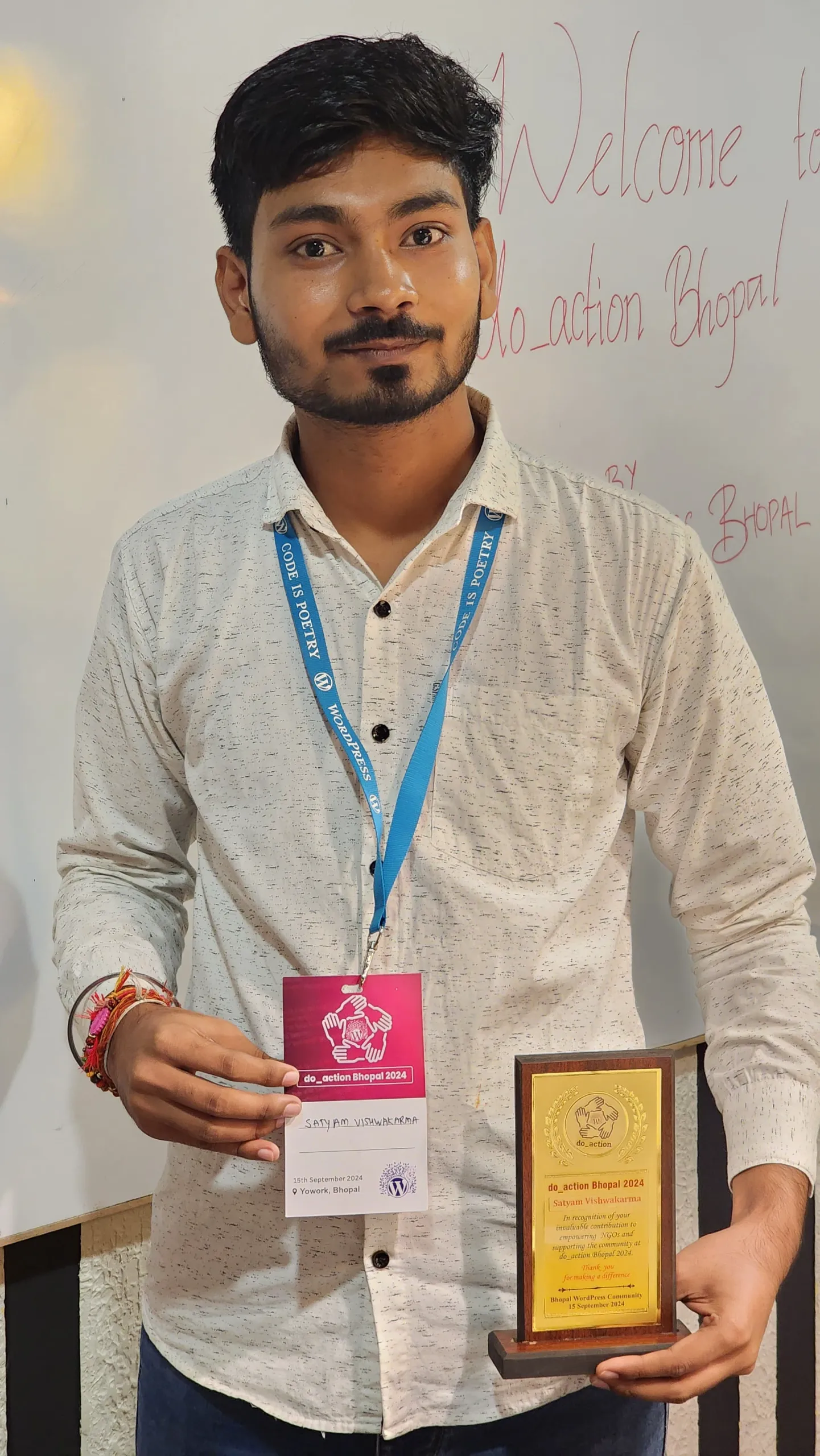
I also volunteered at PHPCamp 2024, an Un(conference) inspired by the BarCamp format.
Other WordCamp Events I Attended in 2025–2026
I also helped with sponsorships and the overall program progress of WPSimplified’s three-month live WordPress training program, led by Sunil Kumar Sharma, which ran from November 2025 to January 2026.
On paper, those things look like achievements.
But that’s not how I remember them.
I remember sitting in meetings, wondering whether my idea was good enough.
I remember asking questions.
I remember people patiently explaining things.
I remember realizing that I could actually be useful.
And I remember the feeling of seeing something I had worked on become part of something much bigger than me.
That was when contribution started becoming less about “what can I get from WordPress?” and more about “what can I give back?”
The people became the story
The more I contributed, the more people I met.
Some of them became friends.
Some became mentors.
Some simply inspired me by watching how they showed up for the community.
Michelle Frechette has been one of those people for me. So have Topher DeRosia, Isotta Peira, Nidhi Jain, Ganga Kafle, and many others.
What I admire about people like them isn’t just what they have achieved.
It’s the way they make other people feel that there is room for them, too.
That matters when you’re coming from somewhere like Fatehpur and trying to find your place in a global community.
You don’t always need someone to give you an opportunity.
Sometimes you just need someone to make you believe that you are allowed to try.
I’ve been fortunate to have people do that for me.
From contributing to building
By my second year, I started wanting to build things of my own within the WordPress ecosystem.
I volunteered and led the marketing team alongside Emma Young at WordCamp Asia 2025 in Manila.
I started building plugins of my own, with contributions and support from Harish, Bhargav, Makarand Mane, Hitanshu Sahu, and Sajid Ansari.
The first was QuoteFrameShare.
It lets people create and share customizable blockquotes in WordPress.
That project was particularly meaningful to me because writing and poetry have always been a part of who I am. Something that started with me writing technology tutorials for fellow engineering students had now come full circle into something I was building for writers, poets, and storytellers.
The second was Contributor Photo Gallery.
It helps WordPress contributors display their WordPress.org photo contributions as a portfolio without needing to write code.
That one came from another part of my journey: photography and the WordPress Photo Directory.
I liked that both projects solved relatively simple problems, but for communities and people I actually cared about.
I wasn’t just building a plugin because I could.
I was building something because I had an idea and thought it could be useful to someone else.
Not everything went smoothly
My WordPress journey hasn’t been a straight line upward.
There was a period when I became so enthusiastic about contributing that I started trying to do everything.
Every team.
Every opportunity.
Every event.
Every possible contribution.
I was so focused on proving that I could contribute that I wasn’t paying enough attention to everything else in my life.
Eventually, I burned out.
I also learned that community work has its own challenges. Not every experience was positive, and there were moments when I felt overlooked, misunderstood, or discouraged.
Those experiences were difficult, but they also forced me to think about what I actually wanted from contribution.
I realized that I didn’t want to spend my time trying to prove that I belonged.
I wanted to contribute because I cared about the project and the people in it.
That changed how I look at contribution today.
I learned that I didn’t need to be everywhere, collect every badge, or chase the biggest contribution count to prove that I cared.
I needed to find a way of contributing that I could actually sustain.
I also realized I didn’t need to sacrifice my health, livelihood, or peace of mind to prove that I cared.
If you have one hour a week, contribute that hour.
If you have more time, great.
But contribution should be sustainable.
The support that I will never forget
One of the reasons I can talk about the difficult parts honestly is that the positive side of this community has been very real for me too.
People have supported me in ways they didn’t have to.
The help I received to attend my first WordCamp is one example.
Katie at Barn2 later sponsored a couple of my WordCamp trips through the company’s events budget. Makarand nominated me for the Yoast Care Fund, which I was fortunate enough to receive.
The WP Open Community Collective also supported me through a Contributor Day Lead Sponsorship sponsored by GoDaddy.
And there were people who helped in ways that weren’t financial at all.
People gave me their time.
They answered questions.
They recommended me.
They encouraged me when I was uncertain.
Those things can be easy to overlook when you are talking about contribution numbers, but for me, they are the real story.
Because behind every contribution is usually a person.
And behind my contributions are a lot of people who helped me get there.
What WordPress gave me
When I look back at the person who started writing technology tutorials for fellow engineering students, I don’t think he would have imagined any of this.
I didn’t have a conventional path into technology.
I didn’t study computer science.
I learned WordPress by building things, breaking things, and figuring them out.
And somehow, that was enough to get started.
WordPress helped me develop skills in technology, content, SEO, marketing, product building, and community.
It gave me opportunities to work with people around the world.
It took me to WordCamps that I once couldn’t afford to attend.
It helped me build open-source products.
But those aren’t the things I value most.
The biggest thing WordPress gave me was people.
That’s why the word ‘belonging’ feels more appropriate to me than ‘success.’
I came to WordPress to build websites.
Somewhere along the way, WordPress helped me build a community around me.
I am still figuring it out
I still don’t know exactly where WordPress will take me.
I want to keep building products.
I want to grow further in the marketing and product side of my career.
I want to explore more around partnerships and community.
And one day, I’d love to co-lead a WordPress release.
But I don’t want to chase these things just for a title or a badge.
I want to build things that are genuinely useful.
I want to become better at what I do.
I want to help people who are where I was a few years ago.
And I want to be the kind of person who, when someone remembers their first steps into WordPress, they can say: “Satya helped me get started.”
That would mean more to me than any badge.
Because that’s what happened to me.
People helped me get started.
People made space for me.
People encouraged me.
People believed I could contribute before I was completely sure myself.
So if someone reading this is just starting their WordPress journey, my advice is simple:
Start small. Ask questions. Find something you enjoy. Contribute consistently, but within your capacity.
You don’t need to have everything figured out before you begin.
I certainly didn’t.
I started writing because I wanted to make complicated things easier for my classmates.
I started blogging because I was curious about technology.
I started using WordPress because my brother showed me what was possible.
I kept learning because there was always something new to discover.
And eventually, I started contributing because I wanted to give something back.
But somewhere along the way, something else happened.
I found people.
I found opportunities.
I found a community.
And I found a place where I could keep learning, contributing, and becoming a little better than I was before.
I came to WordPress to build websites.
Somewhere along the way, WordPress helped me build a community around me.
And maybe that’s what this journey has really been about.
From blogging to belonging.
Blogging से Belonging तक: मेरी WordPress Journey
शुरुआत
मेरा नाम सत्यम विश्वकर्मा है, हालांकि ज़्यादातर लोग मुझे सत्या के नाम से जानते हैं।
मैं महमदपुर नाम के एक छोटे से गाँव से आता हूँ, जो उत्तर प्रदेश के फतेहपुर, दोआब के शहर, के पास है और गंगा और यमुना नदियों के बीच बसा है। यह जगह हमेशा से मुझे अपना घर लगी है।
मैंने फतेहपुर के Government Polytechnic College से Electronics Engineering (Micro) की पढ़ाई की। एक छोटे शहर में बड़े होते और पढ़ते हुए मुझे कभी ठीक से अंदाज़ा नहीं था कि technology या internet मुझे कहाँ तक ले जा सकते हैं।
मैं WordPress तक किसी बड़े career plan के साथ नहीं पहुँचा था। मैं बस technology को लेकर उत्सुक था और अपने आसपास के लोगों की मदद करना चाहता था।
मेरे ज़्यादातर classmates, मेरी तरह, Hindi-medium schools या UP Board से पढ़े हुए थे।
हमें इंटरनेट पर मिलने वाली बहुत-सी technical सामग्री या तो समझना मुश्किल होती थी या फिर वह उस तरह की आसान English में नहीं होती थी, जिसे हम सहजता से समझ सकें।
साथ ही, मैं शायद अपने आसपास के लोगों में technology को लेकर थोड़ा ज़्यादा curious था।
मुझे नया software आज़माना, नए features explore करना और यह समझना बहुत पसंद था कि चीज़ें कैसे काम करती हैं।
जब भी मुझे कुछ interesting मिलता, मैं उसे अपने WhatsApp groups और classmates के साथ share करता था।
उस समय मैंने इसे writing या teaching के तौर पर नहीं देखा था।
मैं बस वही share कर रहा था जो मैंने खुद discover किया था।
फिर एक दिन मन में आया:
क्यों न इस information को कहीं ऐसी जगह रखा जाए, जहाँ इसे और लोग भी ढूँढ सकें?
वही छोटी-सी सोच मेरी writing journey की शुरुआत बन गई।
WordPress से पहले Blogger था
Online लिखने के मेरे शुरुआती मौकों में से कुछ मुझे WhatsApp पर मिले लोगों की वजह से मिले।
मैं technology से जुड़े एक WhatsApp group के ज़रिए Mohit Vyas और Arpit Nawal से online मिला। उन्होंने TopJankari नाम की website बनाई थी।
वह WordPress पर नहीं चलती थी। वह एक custom-built, dynamic website थी, जिसमें content manage करने का अपना basic system था। बाद में मुझे जिन content management systems के बारे में पता चला, उनकी तुलना में वह काफी simple थी।
मैंने TopJankari के लिए technology और tips से जुड़ा content लिखना शुरू किया।
मेरे लिए यह बहुत exciting था।
जिन चीज़ों को मैं खुद आज़मा रहा था, उन्हें मैं अब इस तरह लिख रहा था कि कोई दूसरा भी उन्हें पढ़कर इस्तेमाल कर सके।
उसी दौरान मैंने Blogger.com के साथ भी experiment करना शुरू किया और वहाँ अपना technology और tips-related content publish करने लगा।
उस समय मैं professional writer बनने के बारे में नहीं सोच रहा था।
मुझे बस technology पसंद थी। मुझे चीज़ों को समझाना पसंद था। और मुझे यह विचार अच्छा लगता था कि मेरे द्वारा लिखी गई कोई चीज़ किसी दूसरे व्यक्ति की समस्या हल करने में मदद कर सकती है।
मेरे लिए इतना ही काफी था आगे बढ़ते रहने के लिए।
फिर WordPress मेरी कहानी में आया
जब मैं blogging के साथ experiment कर रहा था, मेरे भाई Shivam ने उस समय तक WordPress पर अपनी पहली website बना ली थी।
इसने मेरा ध्यान खींचा।
मैं पहले से ही websites के काम करने के तरीके को लेकर curious था।
उनको WordPress के साथ कुछ बनाते हुए देखकर मुझे पहली बार अंदाज़ा हुआ कि इसके साथ क्या-क्या बनाया जा सकता है।
मैं भी इसे आज़माना चाहता था।
उसी दौरान मेरे भाई Kapil और मैंने साथ मिलकर WordPress सीखना शुरू किया।
हम दोनों को वास्तव में कुछ खास पता नहीं था।
हमने YouTube videos, documentation, blog posts और सबसे ज़्यादा experimentation के ज़रिए सीखा।
हम कुछ try करते, उसे तोड़ देते, फिर search करते कि वह क्यों टूटा, उसे ठीक करते और फिर अगली चीज़ पर बढ़ जाते।
मेरा पहला WordPress project EngineersGuru था। वहाँ मैं अपनी Electronics Engineering (Micro) की पढ़ाई से जुड़ा content शेयर (publish) करता था।
शुरुआत में मैंने इसे एक subdomain के रूप में चलाया। मेरा उद्देश्य था कि मेरे fellow students के लिए course से जुड़ी tutorials और useful information को समझना थोड़ा आसान हो सके।
हमने एक Android-related blog भी शुरू किया और Jankari.xyz भी, जो एक ऐसी general website थी जहाँ मैं लगभग किसी भी ऐसी चीज़ के बारे में लिख सकता था जो मुझे interesting लगती थी।
आज पीछे मुड़कर देखता हूँ तो ये websites मेरे लिए एक playground थीं।
यहीं मैंने WordPress, writing, SEO, content creation और websites चलाने की basic बातें सीखीं।
मैं किसी carefully planned career path पर नहीं चल रहा था।
मैं बस चीज़ें बना रहा था, क्योंकि मैं देखना चाहता था कि मैं क्या कर सकता हूँ।
और मेरी वही curiosity मुझे लगातार कहीं न कहीं आगे ले जाती रही।
गलतियों से सीखना
जैसे-जैसे blogging आगे बढ़ी, मैंने SEO, monetization और affiliate marketing के बारे में सीखना शुरू किया।
मैंने अलग-अलग तरह की websites के साथ experiment किया और सीखते-सीखते दस से ज़्यादा blogs बनाए।
मेरे इन्हीं projects में से एक आगे चलकर EYNZone बना, जिसे पहले EYNWorld के नाम से जाना जाता था। वहाँ मैंने दूसरे लोगों को WordPress और दूसरी skills सीखाने और अपने projects को grow करने में मदद करना शुरू किया।
इस रास्ते में बहुत सारी असफलताएँ भी आईं।
मैंने Google AdSense के लिए बीस से ज़्यादा बार apply किया, और हर बार कुछ न कुछ गलत हो जाता था। आखिरकार मैंने सिर्फ अंदाज़ा लगाना बंद किया और guidelines को सही से पढ़ना और समझना शुरू किया।
आखिर में एक बिल्कुल नए domain पर सिर्फ दो articles के साथ मेरा AdSense approve हो गया।
उस अनुभव का असर मुझ पर रह गया।
इसने मुझे सिखाया कि rejection का मतलब हमेशा यह नहीं होता कि आप capable नहीं हैं।
कभी-कभी इसका मतलब सिर्फ इतना होता है कि आपने अभी तक समस्या को समझा नहीं है।
मेरी ज़िंदगी में यह बात बार-बार सामने आती रही।
Career की तलाश में निकला था, Community मिल गई
आखिरकार, 2022 के बीच में मैंने full-time नौकरी की तलाश शुरू की।
वह भी अपने आप में एक learning experience था, हालांकि हमेशा अच्छा नहीं था।
मैंने 800 से ज़्यादा companies में apply किया और करीब 2,000 job applications के process से गुज़रा।
इसी दौरान मुझे Michelle Frechette के ज़रिए UnderrepresentedInTech के बारे में पता चला। वहाँ से आगे मुझे Post Status से जुड़ने का मौका मिला, जहाँ मैंने WordPress ecosystem के और लोगों से मिलना शुरू किया।
कुछ interesting हो रहा था।
जहाँ मैं यह समझने की कोशिश कर रहा था कि professionally मेरी जगह कहाँ है, वहीं धीरे-धीरे WordPress में मुझे अपनी जगह मिल रही थी।
मैं सिर्फ software के बारे में नहीं सीख रहा था।
मैं उस project के बारे में सीख रहा था जो software के पीछे था, और उन लोगों के बारे में भी जो उसे बनाने में मदद कर रहे थे।
और फिर मैंने WordCamp Bhopal के बारे में सुना।
वह WordCamp जिसे मैं लगभग attend नहीं कर पाता
मेरा पहला WordCamp, WordCamp Bhopal 2023 था।
मैं जाना चाहता था।
मैंने लोगों से कह भी दिया था कि मैं जाऊँगा।
बस एक समस्या थी।
मेरे पास उस trip के लिए पैसे नहीं थे।
इसलिए मैंने Post Status Slack community में मदद माँगी।
आज भी मैं सोचता हूँ कि उसके बाद क्या हुआ था।
जिन लोगों ने मुझे कभी सामने से देखा तक नहीं था, उन्होंने मेरी मदद करने का फैसला किया।
Alan, Jenni और Corey Maass ने financially मदद की। Michelle, Jeff और दूसरे लोगों ने मेरी request को share किया। Ronald, जो DLXPlugins से हैं, उन्होंने भी इसे देखकर मदद की।
जिन लोगों को मैं मुश्किल से जानता था, या शायद कभी मिला ही नहीं था, उन्होंने मुझे उस event तक पहुँचने में मदद की जहाँ मैं अपने दम पर नहीं जा सकता था।
मैं Bhopal पहुँच गया।
और वह सफ़र अपने आप में काफ़ी उलझनों से भरा था।
मैंने आखिरी समय में यात्रा शुरू की, रात में गलत जगह पहुँच गया और फिर होटल को लेकर एक अलग ही किस्सा शुरू हो गया। आखिरकार, किसी तरह सब ठीक हुआ।
लेकिन जब मैं वहाँ पहुँच गया, तो इनमें से किसी चीज़ की उतनी importance नहीं रही।
Event के दौरान Nabin Jaiswal ने भी मेरी मदद की।
मैं उन लोगों से मिला जिन्हें अब तक सिर्फ websites, Email, Slack और social media के ज़रिए जानता था।
और फिर कुछ unexpected हुआ।
मेरा मन हुआ कि मैं एक और WordCamp में जाऊँ।
फिर एक और।
उस पहली trip के बाद WordCamp Mumbai, WordCamp Udaipur, जहाँ मुझे scholarship मिली, और WordCamp Ahmedabad आए।
कुछ ही महीनों में WordPress मेरे लिए computer पर इस्तेमाल की जाने वाली किसी चीज़ से बदलकर लोगों के ज़रिए अनुभव की जाने वाली चीज़ बन गया था।
अब उसके चेहरे थे।
नाम थे।
बातचीत थी।
हाथ मिलाना था।
लोग पूछते थे कि मैं कैसा हूँ।
और मेरा मन हुआ कि अब मुझे भी कुछ वापस देना चाहिए।
मुझे नहीं पता था कि मैं कितना contribute कर सकता हूँ
मैंने शुरुआत Marketing team से की और धीरे-धीरे WordPress project के दूसरे हिस्सों तक पहुँचता गया: Community, Meetups, Polyglots, Photos, Training और Core।
जनवरी 2024 में मैंने अपने लिए एक public contribution लक्ष्य बनाया।
मैं 100 photos contribute करना चाहता था, हजारों strings translate करना चाहता था, documentation और training पर काम करना चाहता था, meetups organize करना चाहता था, WordCamps attend करना चाहता था, events में volunteer करना चाहता था और marketing में meaningful contributions देना चाहता था।
उस समय यह बस उन चीज़ों की एक list थी जिन्हें मैं try करना चाहता था।
मुझे नहीं पता था कि यह मुझे कहाँ ले जाएगी।
उस साल मैंने करीब 150 photos contribute कीं और लगभग 1,400 strings को translate, review या suggest किया। मैंने Training content भी review किया, WordPress के 21st birthday के लिए अपना पहला meetup organize किया, releases और events के marketing पर काम किया, कई events में volunteer किया और Contributor Days में tables भी lead करने लगा।
मैं do_action Bhopal में Content and Social Media Manager के लिए चुना गया और बाद में Project Manager बना दिया गया।
कागज़ पर देखें तो ये सब achievements लगती हैं।
लेकिन मुझे ये इस तरह याद नहीं हैं।
मुझे meetings याद हैं, जहाँ मैं सोचता था कि मेरा idea सही भी है या नहीं।
मुझे अपने सवाल पूछना याद है।
मुझे याद है कि लोग धैर्य से चीज़ें समझाते थे।
मुझे याद है वह एहसास जब मुझे पहली बार लगा कि मैं वास्तव में useful हो सकता हूँ।
और मुझे वह feeling याद है जब मेरे काम की कोई छोटी-सी चीज़ मेरे से कहीं बड़ी किसी चीज़ का हिस्सा बन गई।
शायद वहीं से contribution मेरे लिए बदलना शुरू हुआ।
यह सवाल कम होने लगा कि:
“मुझे WordPress से क्या मिल सकता है?”
और उसकी जगह एक दूसरा सवाल आने लगा:
“मैं WordPress को क्या दे सकता हूँ?”
कहानी में लोग आने लगे
जितना मैं contribute करता गया, उतने ही ज़्यादा लोगों से मिलता गया।
कुछ दोस्त बन गए।
कुछ mentors बन गए।
कुछ ऐसे लोग थे जिन्होंने बस community में जिस तरह अपनी जगह बनाई और दूसरों के लिए मौजूद रहे, उससे मुझे inspiration मिली।
Michelle Frechette मेरे लिए ऐसे ही लोगों में से एक रही हैं। उनके साथ Topher DeRosia, Isotta Peira, Nidhi Jain, Ganga Kafle, और कई दूसरे लोग भी हैं।
मैं इन लोगों से सिर्फ इसलिए प्रभावित नहीं हूँ कि उन्होंने क्या हासिल किया है।
बल्कि इसलिए कि वे दूसरों को यह महसूस कराते हैं कि उनके लिए भी जगह है।
जब आप Fatehpur जैसी जगह से आते हैं और एक global community में अपनी जगह बनाने की कोशिश करते हैं, तो यह बहुत मायने रखता है।
हर बार किसी का आपको opportunity देना ज़रूरी नहीं होता।
कभी-कभी आपको सिर्फ किसी ऐसे व्यक्ति की ज़रूरत होती है जो आपको यह विश्वास दिला दे कि:
“हाँ, तुम भी कोशिश कर सकते हो।”
मैं खुशकिस्मत हूँ कि मेरी journey में ऐसे लोग आए।
Contribution से building तक
मेरे दूसरे साल तक आते-आते मेरे मन में WordPress ecosystem के अंदर अपने कुछ products बनाने की इच्छा होने लगी।
मैंने WordCamp Asia 2025 में Manila में Emma Young के साथ marketing team में lead किया और volunteer किया।
इसके साथ मैंने अपने plugins बनाना भी शुरू किया, जिसमें Harish, Bhargav, Makarand Mane, Hitanshu Sahu, और Sajid Ansari के contributions और support ने मदद की।
पहला था QuoteFrameShare
यह लोगों को WordPress में customizable blockquotes बनाने और share करने की सुविधा देता है।
यह project मेरे लिए खास था क्योंकि writing और poetry हमेशा से मेरी ज़िंदगी का हिस्सा रहे हैं।
जिस चीज़ की शुरुआत fellow engineering students के लिए technology tutorials लिखने से हुई थी, वह अब घूमकर ऐसे product तक पहुँच गई थी जिसे writers, poets और storytellers के लिए बनाया जा रहा था।
दूसरा था Contributor Photo Gallery
यह WordPress contributors को अपनी WordPress.org photo contributions को बिना code लिखे एक portfolio की तरह दिखाने में मदद करता है।
यह मेरी journey के एक और हिस्से से आया था: photography और WordPress Photo Directory।
मुझे अच्छा लगा कि दोनों projects छोटी और relatively simple problems को solve करते थे, लेकिन उन communities और लोगों के लिए, जो मेरे लिए सच में मायने रखते थे।
मैं सिर्फ इसलिए plugin नहीं बना रहा था क्योंकि मैं बना सकता था।
मैं इसलिए कुछ बना रहा था क्योंकि मेरे पास एक idea था और मुझे लगा कि वह किसी और के लिए useful हो सकता है।
सब कुछ हमेशा ठीक नहीं रहा
मेरी WordPress journey हमेशा सीधी ऊपर की ओर जाने वाली कहानी नहीं रही।
एक समय ऐसा भी आया जब contribution को लेकर मेरा उत्साह इतना बढ़ गया कि मैं सब कुछ करने की कोशिश करने लगा।
हर team।
हर opportunity।
हर event।
हर possible contribution।
मैं यह साबित करने में इतना व्यस्त हो गया था कि मैं contribute कर सकता हूँ कि मैंने अपनी ज़िंदगी की बाकी चीज़ों पर पर्याप्त ध्यान देना शुरू नहीं किया।
आखिरकार, मैं burnout हो गया।
मैंने यह भी सीखा कि community work की अपनी challenges होती हैं।
हर experience अच्छा नहीं था। कुछ ऐसे moments भी आए जब मुझे लगा कि मेरी बात को देखा नहीं गया, मुझे समझा नहीं गया या मैंने discouraged महसूस किया।
वे experiences आसान नहीं थे।
लेकिन उन्होंने मुझे यह सोचने पर मजबूर किया कि आखिर मैं contribution से क्या चाहता हूँ।
मुझे एहसास हुआ कि मैं अपना समय यह साबित करने में नहीं लगाना चाहता था कि मैं belong करता हूँ।
मैं contribute इसलिए करना चाहता था क्योंकि मुझे इस project और इसमें शामिल लोगों की परवाह थी।
इसने contribution को देखने का मेरा तरीका बदल दिया।
मुझे समझ आया कि मुझे हर जगह होना ज़रूरी नहीं है। हर badge collect करना ज़रूरी नहीं है। सबसे बड़ा contribution count हासिल करना भी ज़रूरी नहीं है ताकि मैं यह साबित कर सकूँ कि मुझे परवाह है।
मुझे बस ऐसा तरीका ढूँढना था जिससे मैं लंबे समय तक contribute कर सकूँ।
मुझे यह भी समझ आया कि यह साबित करने के लिए कि मुझे परवाह है, मुझे अपनी health, livelihood या peace of mind को sacrifice करने की ज़रूरत नहीं है।
अगर आपके पास हफ्ते में सिर्फ एक घंटा है, तो उतना ही contribute कीजिए।
अगर आपके पास ज़्यादा समय है, तो बहुत अच्छी बात है।
लेकिन contribution sustainable होना चाहिए।
वह support जिसे मैं कभी नहीं भूलूँगा
शायद यही वजह है कि मैं अपनी journey के मुश्किल हिस्सों के बारे में भी ईमानदारी से बात कर सकता हूँ, क्योंकि इस community का positive side भी मेरे लिए उतना ही वास्तविक रहा है।
लोगों ने मेरी ऐसे तरीकों से मदद की, जिसकी उन्हें कोई मजबूरी नहीं थी।
मेरे पहले WordCamp तक पहुँचने में मिली मदद इसका एक उदाहरण है।
बाद में Katie at Barn2 ने company के events budget के ज़रिए मेरे कुछ WordCamp trips sponsor किए। Makarand ने मुझे Yoast Care Fund के लिए nominate किया, जिसे पाना मेरे लिए सौभाग्य की बात रही।
WP Open Community Collective ने भी मुझे Contributor Day Lead Sponsorship, जिसे GoDaddy ने sponsor किया था, के ज़रिए support किया।
और कुछ लोगों ने ऐसी मदद की जो financial बिल्कुल नहीं थी।
लोगों ने अपना समय दिया।
मेरे सवालों के जवाब दिए।
मेरी recommendations कीं।
जब मैं खुद को लेकर uncertain था, तब मुझे encourage किया गया।
Contribution numbers की बात करते समय इन चीज़ों को आसानी से नज़रअंदाज़ किया जा सकता है।
लेकिन मेरे लिए असली कहानी यही है।
क्योंकि हर contribution के पीछे अक्सर एक इंसान होता है।
और मेरी contributions के पीछे बहुत सारे ऐसे लोग हैं जिन्होंने मुझे वहाँ तक पहुँचने में मदद की।
WordPress ने मुझे क्या दिया
जब मैं उस लड़के को पीछे मुड़कर देखता हूँ जिसने अपने fellow engineering students के लिए technology tutorials लिखना शुरू किया था, तो मुझे नहीं लगता कि उसने कभी सोचा होगा कि उसकी journey यहाँ तक आएगी।
Technology में आने का मेरा कोई conventional रास्ता नहीं था।
मैंने computer science की पढ़ाई नहीं की।
मैंने WordPress की चीज़ें बनाकर, उन्हें तोड़कर और फिर उन्हें समझते हुए सीखा।
और किसी तरह, शुरुआत करने के लिए इतना ही काफी था।
WordPress ने मुझे technology, content, SEO, marketing, product building और community जैसी skills विकसित करने में मदद की।
इसने मुझे दुनिया भर के लोगों के साथ काम करने के मौके दिए।
मुझे उन WordCamps तक पहुँचाया, जिन्हें मैं कभी afford भी नहीं कर सकता था।
इसने मुझे open-source products बनाने का मौका दिया।
लेकिन इन सबमें से कोई भी चीज़ वह नहीं है जिसे मैं सबसे ज़्यादा महत्व देता हूँ।
WordPress ने मुझे सबसे बड़ी चीज़ जो दी, वह लोग थे।
शायद इसीलिए मेरे लिए “success” से ज़्यादा सही शब्द “belonging” है।
मैं WordPress पर websites बनाने आया था।
लेकिन कहीं न कहीं, WordPress ने मेरे आसपास एक community बना दी।
मैं अभी भी इसे समझने की कोशिश कर रहा हूँ
मुझे अभी भी ठीक से नहीं पता कि WordPress मुझे आगे कहाँ ले जाएगा।
मैं products बनाते रहना चाहता हूँ।
मैं marketing और product के क्षेत्र में और आगे बढ़ना चाहता हूँ।
मैं partnerships और community के बारे में और explore करना चाहता हूँ।
और एक दिन, मैं WordPress release को co-lead करना चाहता हूँ।
लेकिन मैं इन चीज़ों के पीछे सिर्फ किसी title या badge के लिए नहीं भागना चाहता।
मैं ऐसी चीज़ें बनाना चाहता हूँ जो सच में useful हों।
मैं अपने काम में बेहतर बनना चाहता हूँ।
मैं उन लोगों की मदद करना चाहता हूँ जो आज वहीं खड़े हैं जहाँ मैं कुछ साल पहले था।
और मैं ऐसा इंसान बनना चाहता हूँ कि जब कोई अपने WordPress journey के शुरुआती दिनों को याद करे, तो शायद वह कह सके:
“Satya ने मेरी शुरुआत में मेरी मदद की थी।”
मेरे लिए वह किसी भी badge से ज़्यादा मायने रखेगा।
क्योंकि मेरे साथ भी यही हुआ था।
लोगों ने मेरी शुरुआत में मेरी मदद की।
लोगों ने मेरे लिए जगह बनाई।
लोगों ने मुझे encourage किया।
लोगों ने मुझ पर भरोसा किया, उस समय भी जब मुझे खुद पूरी तरह यकीन नहीं था कि मैं contribute कर सकता हूँ।
इसलिए अगर आप अपनी WordPress journey अभी शुरू कर रहे हैं, तो मेरी सलाह बहुत simple है:
छोटे से शुरू कीजिए। सवाल पूछिए। जो पसंद है, उसे खोजिए। लगातार contribute कीजिए, लेकिन अपनी capacity के भीतर।
आपको शुरुआत करने से पहले सब कुछ पता होना ज़रूरी नहीं है।
मुझे भी नहीं पता था।
मैंने लिखना इसलिए शुरू किया क्योंकि मैं अपने classmates के लिए मुश्किल चीज़ों को आसान बनाना चाहता था।
मैंने blogging इसलिए शुरू की क्योंकि technology को लेकर मेरे अंदर curiosity थी।
मैंने WordPress इसलिए शुरू किया क्योंकि मेरे भाई ने मुझे दिखाया कि इसके साथ क्या किया जा सकता है।
मैं सीखता रहा क्योंकि हमेशा कुछ नया सीखने के लिए था।
और आखिरकार, मैंने contribute करना शुरू किया क्योंकि मैं कुछ वापस देना चाहता था।
लेकिन कहीं न कहीं, इस journey के दौरान कुछ और भी हुआ।
मुझे लोग मिले।
मुझे opportunities मिलीं।
मुझे एक community मिली।
और मुझे एक ऐसी जगह मिली जहाँ मैं सीखता रह सकता था, contribute करता रह सकता था और हर दिन थोड़ा बेहतर बनता रह सकता था।
मैं WordPress पर वेबसाइटें बनाने आया था।
लेकिन कहीं न कहीं, WordPress ने मेरे आसपास एक community बना दी।
और शायद यही इस पूरी journey का असली मतलब है।
Blogging से Belonging तक।
The post From Blogging to Belonging: My WordPress Journey – Blogging से Belonging तक: मेरी WordPress Journey appeared first on HeroPress.
Open Channels FM: What Can You Learn From 4.4 Million Words?
In this episode, Bob Dunn discusses utilizing 4.4 million words from Open Channels FM's podcasts and blog posts. He highlights tools like Jetpack AI Search and Site Chat, enhancing users' access to valuable insights and discussions.
September 28, 2026
OpenStation Blog: WordPress Has Been Missing This for 15 Years
tl;dr:
15 years stuck in the same wp-admin, why don’t you try in playground the new wp-admin experience?
WordPress has spent the last fifteen years becoming capable of doing almost everything, yet somehow we have continued interacting with wp-admin in fundamentally the same way: click somewhere, load another screen, go back, open another tab because you do not want to lose the previous one, and after a while end up with ten different WordPress tabs scattered across your browser.
I find it quite funny that we all accepted this as completely normal.
Today WordPress is used to run stores, publications, membership sites, communities, LMS platforms, agencies and entire businesses. We have plugins that are effectively full applications, incredibly complex editing experiences, analytics, forms, CRM systems, media tools, commerce, automation and thousands of other things living inside the same installation. Yet the interface connecting all of them still assumes that, most of the time, you want to look at one thing at once.
And when you don’t, the browser has to solve the problem for us.
Browser tabs have essentially become the window manager of WordPress.

That is one of the ideas that eventually led us to OpenStation.
Why don’t we have windows?
It sounds ridiculously obvious when you phrase it like that, but that is exactly why I find the question interesting.
On a normal computer I can have my editor open next to a browser, keep a terminal in the background, drag files around, minimize something I want to return to later, or simply arrange my workspace around whatever I am doing at that moment. Nobody thinks about this as a feature anymore because it is just how computers work.
Then we open WordPress and suddenly that whole model disappears.

If I am editing a post and need something from the Media Library, I navigate away or open another tab. If I am checking an order while editing a product, another tab. If I want to compare two posts, another tab. If I am configuring something and need to check how another part of the site is set up, another tab.
There is nothing technically wrong with that, of course, and it has worked for years, but after building and using OpenStation every day I started noticing how much context we constantly throw away simply because wp-admin was designed around pages rather than workspaces.
That distinction matters much more today than it probably did fifteen years ago.
WordPress quietly became something much bigger
I keep describing WordPress as the operating system of the web, and obviously I do not mean that literally. What I mean is that WordPress has gradually accumulated many of the characteristics you would expect from a platform where applications live.
Plugins install capabilities into it. Users have identities and permissions. Applications share data. We have APIs, scheduled processes, notifications, media, editors, databases and an enormous ecosystem of software that knows how to work with the same underlying environment.
The strange part is that the interface never fully made the same transition.
We kept adding more applications to WordPress, but we continued presenting them largely as destinations in a menu.
OpenStation started from a very simple thought: what happens if, instead of redesigning every individual wp-admin page again, we change the environment in which those pages live?

That immediately opens a much larger set of possibilities.
A post editor does not need to replace your media library on screen. A WooCommerce order does not need to replace the product you were editing. A plugin screen does not necessarily need to occupy the entire browser just because you clicked its menu item.
They can simply be windows.
You can move them, resize them, minimize them, keep several of them open, organise them across different desktops and return to exactly what you were doing without recreating the context again.
The funny thing is that none of this feels particularly futuristic. Quite the opposite. We have been using computers this way for decades.
We just somehow never brought that interaction model into wp-admin.
The interesting part is not actually the windows
The windows are what people notice first because they are visual, but I think the more important idea is what happens once WordPress stops assuming that navigation must destroy context.
Suddenly the admin becomes a workspace.
You can have the Media Library next to the editor instead of travelling between them. You can keep an order visible while checking something else. You can open notes or widgets without abandoning your current task. Applications can coexist on the same desktop and eventually interact with each other in ways that become much harder when everything is isolated in separate browser tabs.
This is also where things like drag and drop become much more interesting.
If two applications are part of the same environment, moving an image, a product, a post or another WordPress entity between them can become an actual interaction instead of a sequence of copy, navigate, search, paste and navigate back.
And once you start thinking about WordPress this way, a lot of things that initially looked like unrelated OpenStation features start making sense together: windows, the dock, multiple desktops, widgets, the command palette and applications are all different pieces of the same idea.
The goal is not to decorate wp-admin until it looks like a desktop operating system. The goal is to make working in WordPress feel less like navigating a website and more like working inside an environment.
We don’t need to replace wp-admin to do this
This is probably the part I like the most about the approach.
WordPress already has an enormous ecosystem and rebuilding everything would be both unrealistic and, in my opinion, the wrong problem to solve. There are thousands of admin interfaces that already work, plugins developers have spent years building, and workflows users already understand.
OpenStation can sit on top of that rather than asking the ecosystem to start again.
The existing WordPress admin can continue being WordPress. Existing plugins can continue exposing their interfaces. What changes is how those interfaces are presented and how you move between them.
In some ways, I think that is much more interesting than simply designing another admin UI.
We are not trying to decide what every WordPress application should look like. We are trying to give those applications a better place to live.
And once you have that place, building actual OpenStation-native applications becomes possible as well. We have already been experimenting with things like a photo editor, project management tools and forms, but what excites me is not any individual application. It is the idea that WordPress can host an entire collection of tools that feel like they belong to the same workspace instead of a collection of isolated screens connected by a sidebar.
So why did it take fifteen years?
Probably because there was never a single moment where the old model stopped working.
WordPress evolved gradually. A new menu here, another plugin there, a more sophisticated editor, WooCommerce, custom post types, page builders, analytics, SEO tools and so on. Each addition fitted reasonably well into what already existed, so there was never an obvious reason to stop and question the basic interaction model.
But those small changes accumulated.
The WordPress of today asks considerably more from wp-admin than the WordPress of fifteen years ago did, and I think that eventually creates an opportunity to revisit assumptions that once seemed completely reasonable.
The assumption we are questioning with OpenStation is a very simple one:
Why should opening something in WordPress mean leaving everything else behind?
After spending months working this way, I now notice it every time I go back to the traditional flow. I open something, realise I need another part of WordPress, create another browser tab and immediately think: why am I doing this outside WordPress when WordPress itself could manage the workspace?
That is probably the best way I can explain what we are building.
WordPress has had applications for a very long time.
Perhaps what it has been missing all these years is somewhere for those applications to actually live together.
By the way, don’t forget you can always try OpenStation without even installing it in your site, using WordPress playgrounds
Open Channels FM: Open Source Champions
The Open Source Champions initiative invites individuals and brands to support the network through a unique advocacy opportunity, offering exposure, promotional features, and participation in special episodes.
September 26, 2026
Gutenberg Times: Gutenberg 24.0, the road to 7.2, a new default theme named Ipsum, and more—Weekend Edition 377
Howdy,
Before anything else: if you maintain WordPress sites, go update them. WordPress 7.1.2 shipped on September 22 to patch a single critical vulnerability in page template resolution, one that lets an unauthenticated attacker load a chosen PHP file from outside your active theme’s directories.
Now let’s move on to better things. Anne McCarthy is auctioning off her framed WordPress release albums, the ones given to release squad members. All the proceeds go to Stimpunks, a nonprofit started by Ryan Boren, who joined the project in 2003 and wrote the plugin system that nearly every site runs on. She calls the albums “a form of a gold medal to me,” and she built the auction site herself in a week. The starting bid is $500.
We also learned this fortnight that the next default theme will be called Ipsum, which means 16 years of naming themes after the calendar is over. Admittedly, I’ll miss the old Twenty* names a little. But it’s time for something new for a new era.
Two more quick things: WordPress has taken its turn leading the Open Website Alliance, alongside Drupal, Joomla!, and TYPO3, with Mary Hubbard holding the rotating presidency for the WordPress Foundation. And starting with 7.2 in December, release parties move from in-person events to livestreamed webinars, so the whole squad can actually be there.
Enjoy your weekend!
Your friendly neighborhood dev advocate, 
Justin Tadlock
Developing Gutenberg and WordPress
Two security releases in six days. WordPress 7.1.2 is the urgent one, and it’s security-only: an unauthenticated attacker can, under the right conditions, make page template resolution include a readable local PHP file from outside the active theme directories. John Blackbourn led the release, Robert Ressl disclosed it, and the fix was backported to every eligible branch going back to 4.7.
Five days earlier, WordPress 7.1.1 arrived as the regular maintenance release with 11 security fixes, 17 bug fixes on Core, and 19 for the Block Editor. Aaron Jorbin led it, and Anthropic is credited twice in the security list.
Aki Hamano announced what’s new in Gutenberg 24.0. The big feature: post title changes now show up in revisions with a proper diff, so you can stop guessing when a rename happened. The Gallery block gains a Grid variation with column count and “crop images to fit” configurable per breakpoint, and Site Title picks up fit-text, scaling to the width available instead of a fixed point size. And nearly 100 icons were redrawn on a stroke-based grid.
Stalled out somewhere between “clone the repo” and “why won’t this build”? Contributor Toolkit 1.2 from JuanMa Garrido now covers Gutenberg as well as Core, and it runs a stock WordPress in Playground with your checkout mounted as the plugin, already activated. No local server, no Docker.
The road to 7.2
Anne McCarthy published the roadmap to 7.2, and it looks to be a security-heavy cycle by WordPress standards. Sudo mode gates sensitive admin actions behind re-authentication, a new Secrets API gives credentials “a first-class way to store credentials safely,” and Application Passwords get hardened. Notes should gain a suggestion mode and emoji reactions. Designers get form element customization in Global Styles and custom block states. The final release lands in early December.
Real-time collaboration came out of WordPress 7.0, and Chris Zarate has now explained why in a post on moving to a server-aware approach for collaboration, written with Alec Geatches, Dennis Snell, ingeniumed, and Paul Kevan. The old design had browsers hold the post in a CRDT document and sync peer-to-peer, which broke three ways: the server couldn’t tell who made which edit, opening the door to content laundering; REST API and WP-CLI updates couldn’t participate, so saves became all-or-nothing overwrites; and a dropped connection could take your work with it. Three candidate sync engines are on the table, with a gutenberg-sync-engines repo to test against. If you build editorial tooling, have an opinion about this now.
The next default theme has a name, and for the first time in well over a decade, it isn’t a year. Henrique Iamarino introduced Ipsum, built with Carolina Nymark, Maggie Cabrera, and Juanfra Aldasoro. The reasoning behind the naming change: “default themes will have their own names and change when the design calls for it, not when the calendar does.” The theme is intentionally spare. It’s blog-first, has minimal typesets, and structural elements that stay invisible until you need them. The request is simple: “try it and tell us what breaks and what’s missing.”

Nik Tsekouras opened a call for testing the DataForm editor inspector, which rebuilds the Post and Page tab of the Settings sidebar so it stops drifting from Quick Edit in the Site Editor. Install Gutenberg 24.0 or later and enable Editor Inspector: Use DataForm under Settings → Gutenberg. Test it as an editor, author, and contributor, not just as an admin.
Behind the release
A minor release can touch more than twenty branches, and much of that work was done by hand. Lance Willett opened a public repo of Core release tools, which includes tagging, release docs, SVN merge verification, and contributor lists.
Huzaifa Al Mesbah counted 84 people who tested WordPress 7.1 across 337 Trac tickets. Fifty were first-timers, which is 60% of everyone who showed up. The most important line: “you don’t need to be a developer.” 7.2 testing is open now.
Plugins, Themes, and Tools for #nocode site builders and owners
WooCommerce 11.2 lands the week of October 6, so read Shani Banerjee’s pre-release notes before it arrives rather than after. Order withdrawal emails become configurable, the CSV importer can match products by Global Unique ID when neither ID nor SKU is available, and checkout fields gain date support with min/max validation. Two of the seventeen developer advisories will bite if you ignore them: date filters in wc_get_orders() and wc_get_products() now read a bare date as a day in your store’s timezone rather than UTC, and the Cart and Checkout order summary becomes a fixed 360px column with the two-column breakpoint moving from 700px to 920px.
Two dot releases arrived in between, both flagged as security updates. WooCommerce 11.1.2 fixes the infinite recursion that was breaking product variation galleries, and 11.1.1 hardened API permissions and session handling.
The latest WordPress.com changelog moves the AI website builder from picking a theme to generating one: on Premium and Business plans, it “now generates a fully custom theme built around your goals and brand.” A new Annotate feature lets you queue several targeted edits and send them at once.
GatherPress started on a fourteen-hour drive to WordCamp US in 2018, when two Montclair meetup organizers came up with a name and then didn’t write any code for nine months. Rae Morey tells the story of how it grew into WordPress’ Meetup.com replacement, through July of this year, when Automattic’s Karen Arnold confirmed WordPress is going ahead with it. The gatherpress.org domain is transferring to the Foundation, and the plugin has been testable at events.wordpress.org since August 28. No launch date yet, and co-maintainer Mervin Hernandez Sitnikovski would rather you help than wait.
Theme Development for Full Site Editing and Blocks
WooCommerce has a new block theme. Brian Coords announced that Purple is back and ready for beta testing. The project was paused during a strategy update last year, and it’s Woo’s first official block theme.

Ten color palettes, ten font pairings, custom styles for both WooCommerce and core blocks, and templates covering everything from Shop to Checkout to My Account. The inserter category is being renamed from “WooCommerce” to “Shop.” If you’re wondering where Storefront’s featured extensions went, block editing absorbed most of them. Peter Schimke also notes that Purple is now the default for new WordPress.com Commerce stores.
Mark your calendar for Wednesday, September 30 at 10 a.m. PDT / 1 p.m. EDT / 7 p.m. CEST: Woo is hosting a live session on building with WooCommerce block themes. Mike McAlister of Ollie joins Woo engineers Karol Manijak and Lucio Giannotta. There’s a Q&A at the end and a recording afterward, but questions only work if you show up.
“We need more workflow in Core,” said K. Adam White, principal engineer at Human Made, talking with Nathan Wrigley on WP Tavern about migrating to blocks with artisanal care and enterprise efficiency. At the center of it is Human Made’s open-source Rehydrator, which uses pattern HTML as a template and injects migrated content into it, so structure and styling survive a move off something like Sitecore. He describes building SQLite databases from client exports just to find the edge cases. He’s candid about the gaps, too: granular permissions, editorial approval workflows, and internationalization.
|
||||
Building Blocks and Tools for the Block editor
Your Query Loop returns nothing, and the heading and pagination you wrapped around it render anyway. Ryan Welcher spent a live stream adding a “hide if empty” control to Advanced Query Loop, his free plugin that extends the core Query Loop with taxonomy relationships, meta queries, and relative date filters.
Gutenberg’s JavaScript tests have moved off Jest. Marco Ciampini explains that unit and integration tests now use Vitest, driven by ESM: as more dependencies shipped ECMAScript modules, the CommonJS-based Jest setup needed more and more compatibility glue. The part that affects you: @wordpress/scripts 36.0.0 makes Vitest the default for test-unit-js, with @wordpress/eslint-plugin 27.0.0 following. Not ready to migrate? Switch to wp-scripts test-unit-jest and install the Jest dependencies yourself.
AI in WordPress
Your agent builds you a landing page, and then what? It sits in a chat log, or a folder, or a local dev server nobody else can reach. That’s the gap Spacefast is built for, and Automattic soft-launched it this week: Matt Mullenweg announced it on X. The pitch is the last mile for agent output: publish from a conversation with Claude or ChatGPT, from npx spacefast publish, or from a GitHub push, and get a permanent URL with immutable versions, one-click rollback, and access controls. It hosts full-stack projects, not just static files.
The WordPress hook is a Spacefast plugin with two modes. Static mode hooks into Simply Static, exports your site, and publishes the snapshot. Headless mode treats WordPress as the content source for a repository project, triggering a production rebuild when you publish or update public content.
MCP turns up everywhere
WordPress Trac now speaks MCP. Lance Willett announced a Trac MCP server that’s “public and free to use: no account or API key needed.” Ask what’s left on a ticket and which pull requests are still open, or what someone committed in January 2005—yes, it goes back that far. It covers every WordPress.org Trac, from Core and Meta to bbPress and GlotPress. James LePage wrote the first version, with props to Jon Surrell, David Newman, and Konstantin Obenland.
Jamie Marsland makes the case for why WebMCP is going to be big for WordPress and, more usefully, shows you how to try it this afternoon: open the ChatGPT desktop app in Work mode, load WordPress Playground in its built-in browser, and ask it to build you a homepage. His framing is the clearest I’ve read. WebMCP gives an assistant “an instruction manual with working buttons” instead of making it squint at screenshots.
For the enterprise view of the same shift, Shane Schick compares WebMCP and traditional MCP and lands on a line I’d pull out of the whole piece: “MCP is not going away, and WebMCP shouldn’t be seen as a rival protocol.” His table sets them side by side on deployment, access scope, scalability, and auditability. That auditability row is the one that matters if you answer to a compliance team.
Schick also introduces Parse.ly MCP, which connects Parse.ly data to whichever assistant your team already uses. You authorize once with your existing login, and the assistant sees exactly the sites your account already sees. “Analysis that used to take a request and a day now takes a conversation.”
One more, for the security-conscious: WPShout walks through connecting Cursor to WordPress with MCP using ThemeIsle’s Easy MCP AI plugin. Every tool call still passes a WordPress capability check, with a 60-requests-per-minute default. Their advice is the part to take seriously: “read-only first, watch the audit log for a week, then grant write scopes deliberately.”
Putting agents to work
Anthropic open-sourced its commerce agents on September 2, and WooCommerce has already adapted them. Shani Banerjee walks through running the Claude Commerce Agent on WooCommerce, which spins up a demo store with eight products and nine orders in about fifteen minutes. The neat piece is a bridge plugin: the assistant’s cart lives under a Store API token your browser session can’t see, so at checkout the plugin re-adds each item to your real cart with normal stock checks. Merchant-side changes stage behind an approval gate, and “ask it to approve itself and it declines.”
There’s a second kind of visitor to design for now. Carlo Daniele argues for building WordPress for AI agents instead of just human visitors, and the distinction he draws is the useful one: “Crawlers primarily retrieve or index information. Agents can go a step further and take action on a user’s behalf.” That turns architecture questions into permission questions: who is asking, on whose behalf, what can they change, which actions need approval. The Abilities API and MCP Adapter are where WordPress answers them.
A week later, Daniele turned to operations. What happens when AI agents become your new website operators? works through a five-stage autonomy ladder and argues most teams should sit partway up it for a while. I feel like he’s right about that. As he puts it: “An agent that makes a bad production change creates another.”
Learning and practice
Want a structured introduction rather than a pile of blog posts? Destiny Kanno announced that the AI-Powered WordPress course is now live on Learn WordPress: four modules, 23 lessons, roughly nine hours. The first three are for anyone who publishes; the fourth introduces the developer APIs and assumes no prior PHP experience.
The AI team’s contributor summary for September 16 is a good snapshot of what’s actually moving. neillmcshea reports work on markdown feeds for the AI plugin, so AI clients can request a markdown version of a post. PHP AI Client 1.5.0 is close. There are still open gaps in web search support. For example, message parts can’t represent source annotations, and citation URLs are hard to retrieve.
Finally, a piece for the conversations you have with clients rather than with a terminal. Will Davis writes about how WordPress agencies use AI, and what clients should ask about it, arguing that the honest uses are the boring ones—code generation, QA, content migration, documentation—while architecture and governance stay human. His five questions for clients would work just as well on a sales call, starting with “What does a person review before it reaches me?” As he puts it, AI “genuinely reduces repetitive work, but it doesn’t replace judgment.”
|
|||||

Questions? Suggestions? Ideas?
Don’t hesitate to send them via email or
send me a message on WordPress Slack or Twitter @bph.
For questions to be answered on the Gutenberg Changelog,
send them to changelog@gutenbergtimes.com
Dennis Snell: Enter the mess: Shortcodes
Tonight I started working on some Shortcode processing in WordPress. This is an historically nasty problem because the Shortcode syntax and parsing is wildly dynamic.
- Shortcode syntax is only technically recognized for shortcodes registered at the time of parsing. This means that there is not a general Shortcode grammar.
- Whether a shortcode has “content,” meaning whether it expects a closing tag, depends on whether the closing tag exists in the post.
This is a problem that has plagued me for years and I have generally just ignored. There’s an open Core issue in Trac for changing some shortcode parsing (#50683), and I have thought a lot about it.
But I think there is more to explore, and more to gain. Maybe this goes nowhere, but keep your eyes open for it.
September 25, 2026
Open Channels FM: Your Website Could Use a Changelog to Fuel Creativity
A website changelog helps creators document progress, celebrate small wins, showcase evolution, fuel creativity, and build audience trust. It can include updates, humor, and various formats, making it accessible for all.
Open Channels FM: Is It Time to Move On? Navigating Change and Letting Go in Fast-Paced Times
A reflection on recognizing the right time to move on from creative projects and handling self-doubt.
OpenStation Blog: “I can’t imagine using WordPress any other way”: the love behind OpenStation
OPENSTATION · COMMUNITY VOICES
Formerly Desktop Mode, now a new way to feel at home in wp-admin.
A plugin can accumulate installs. It is rarer for people to describe it as a new way of thinking. As of September 25, 2026, OpenStation, known in its earliest releases as Desktop Mode, has inspired 23 public WordPress.org reviews: 22 five-star and one four-star.
OpenStation turns the WordPress admin into a spatial workspace: movable windows, a dock, a taskbar, widgets and virtual desktops. That is the feature list. The feeling is better told by the people who use it.
The words that stopped us in our tracks
1. When a plugin becomes the default
“I can’t imagine using WordPress any other way. I love this plugin so much.”
— Nick Hamze, “Favorite plugin ever”
That may be the highest compliment a tool can earn: not merely useful, but difficult to imagine living without. Nick’s review reads less like a rating and more like an invitation to join a movement.
“This is a game-changer. Can never go back!”
— ainom, “Absolute pure awesomeness”
OpenStation begins as a striking visual idea, then quietly rewires expectations. Once several admin screens can live together, the old one-page-at-a-time flow feels surprisingly distant.
2. When the metaphor improves the work
“It genuinely feels like using a lightweight operating system inside WordPress.”
— spackenjaeger, “A revolutionary new WordPress admin experience”
The operating-system metaphor is not decoration. Windows hold context. The dock makes tools reachable. Virtual desktops separate kinds of work. The familiar desktop grammar turns multitasking into something visible and natural.
“Having several admin screens open at once changed how I work more than I expected.”
— Juan Lentino, production user and plugin integrator
Juan’s review is especially telling: he has run OpenStation in production since the Desktop Mode days and builds integrations against it. The novelty faded; the workflow remained.
3. When delight becomes productive
“The desktop-style layout, draggable windows, dock, and taskbar make the admin area feel completely different in the best way.”
— Marco Moreira, “A refreshing new way to use WordPress admin”
Productivity software does not have to be joyless. The best interfaces reduce friction and add a little momentum, the feeling that the workspace is helping rather than merely waiting.
“This plugin blowed my mind. It turns your wordpress admin in such a beautiful dashboard. What an experience.”
— MauroS, “One word… Wow!”
The wording is wonderfully unfiltered. Beauty, surprise and experience are not side effects here; they are part of the product.
4. When people see the road ahead
“This is definitely something I would use on a daily basis. Well done!”
— vepth, “I’m blown away”
“Desktop Mode definitely stands out with its own approach.”
— Rami Obeidat, “Modern and creative admin experience”
Both reviews point to the same achievement: OpenStation is not chasing a generic “modern admin” look. It has a point of view—spatial, extensible and unmistakably its own.
From Desktop Mode to OpenStation
The project’s name changed because its ambition outgrew a mode. “Desktop Mode” described the first transformation. OpenStation describes the platform emerging around it: a place where WordPress apps, windows, widgets and workflows can meet.
“The integration surface is unusually well behaved for a plugin this ambitious.”
— Juan Lentino, WordPress.org reviewer and integrator
That sentence matters as much as the praise for the interface. The magic users see is supported by a public API that plugin authors can build on, frequent releases and an opt-in design that keeps classic WordPress one click away.
The best roadmap is a chorus
Names change. Interfaces evolve. Code ships, breaks, improves and ships again. What stays constant in these reviews is the feeling that WordPress can be more personal, more spatial and more alive.
OpenStation is still moving fast. But if the people already living in it are any guide, the destination is worth watching, and the journey is already changing how they work.
Explore OpenStation on GitHub →
Read all WordPress.org reviews →
Quotes are excerpted from public WordPress.org reviews. Spelling is preserved; excerpts are linked to their original sources.
Matt: Bruce Schneier on Systems
Bruce is one of my favorite writers. He packs profoundness. Also honored that he’s an advisor at Automattic, truly one of my idols. His blogs and books rocked my world when I was young.
WordPress Planet
This is an aggregation of blogs talking about WordPress from around the world. If you think your blog should be part of this site, send an email to Matt.
Official Blog
For official WordPress development news, check out the WordPress Core Blog.
Subscriptions
- Aaron D. Campbell (feed)
- Aaron Jorbin (feed)
- Adam Zielinski (feed)
- Akismet (feed)
- Andrew (feed)
- Andrew Nacin (feed)
- André Maneiro (feed)
- Andy Skelton (feed)
- Bernie Reiter (feed)
- BuddyPress (feed)
- Carlos Bravo (feed)
- Carolina Nymark (feed)
- Darren Ethier (feed)
- Dave Smith (feed)
- David Baumwald (feed)
- Dennis Snell (feed)
- Donncha (feed)
- Dougal Campbell (feed)
- Felix Arntz (feed)
- Gary (feed)
- Gravatar (feed)
- Greg Ziółkowski (feed)
- Gutenberg Times (feed)
- HeroPress (feed)
- JJJ (feed)
- Jake Spurlock (feed)
- Jean-Baptiste Audras (feed)
- Joe Dolson (feed)
- Joe McGill (feed)
- Jon Surrell (feed)
- Jonathan Desrosiers (feed)
- Joseph (feed)
- Kelly Choyce-Dwan (feed)
- Lorelle on WP (feed)
- Marin Atanasov (feed)
- Mark Jaquith (feed)
- Matt (feed)
- Miguel Fonseca (feed)
- Mike Little (feed)
- Open Channels FM (feed)
- OpenStation Blog (feed)
- Pascal Birchler (feed)
- Peter Westwood (feed)
- Peter Wilson (feed)
- Ping-O-Matic (feed)
- Post Status (feed)
- Riad Benguella (feed)
- Tammie Lister (feed)
- WP Mobile Apps (feed)
- WPTavern (feed)
- Weston Ruter (feed)
- WordCamp Central (feed)
- WordPress Foundation (feed)
- WordPress.org blog (feed)
- WordPress.tv Blog (feed)
- bbPress (feed)
- mdawaffe (feed)
Last updated:
October 11, 2026 02:00 AM
All times are UTC.